Sell landscape lighting with a night view
Customers can't picture lighting from a list of fixtures. Show them. Place path lights, uplights and wall washes on a photo of their yard and LawnPro turns it into a realistic night view in under a minute. The fixtures, transformer and wire go straight onto the estimate.
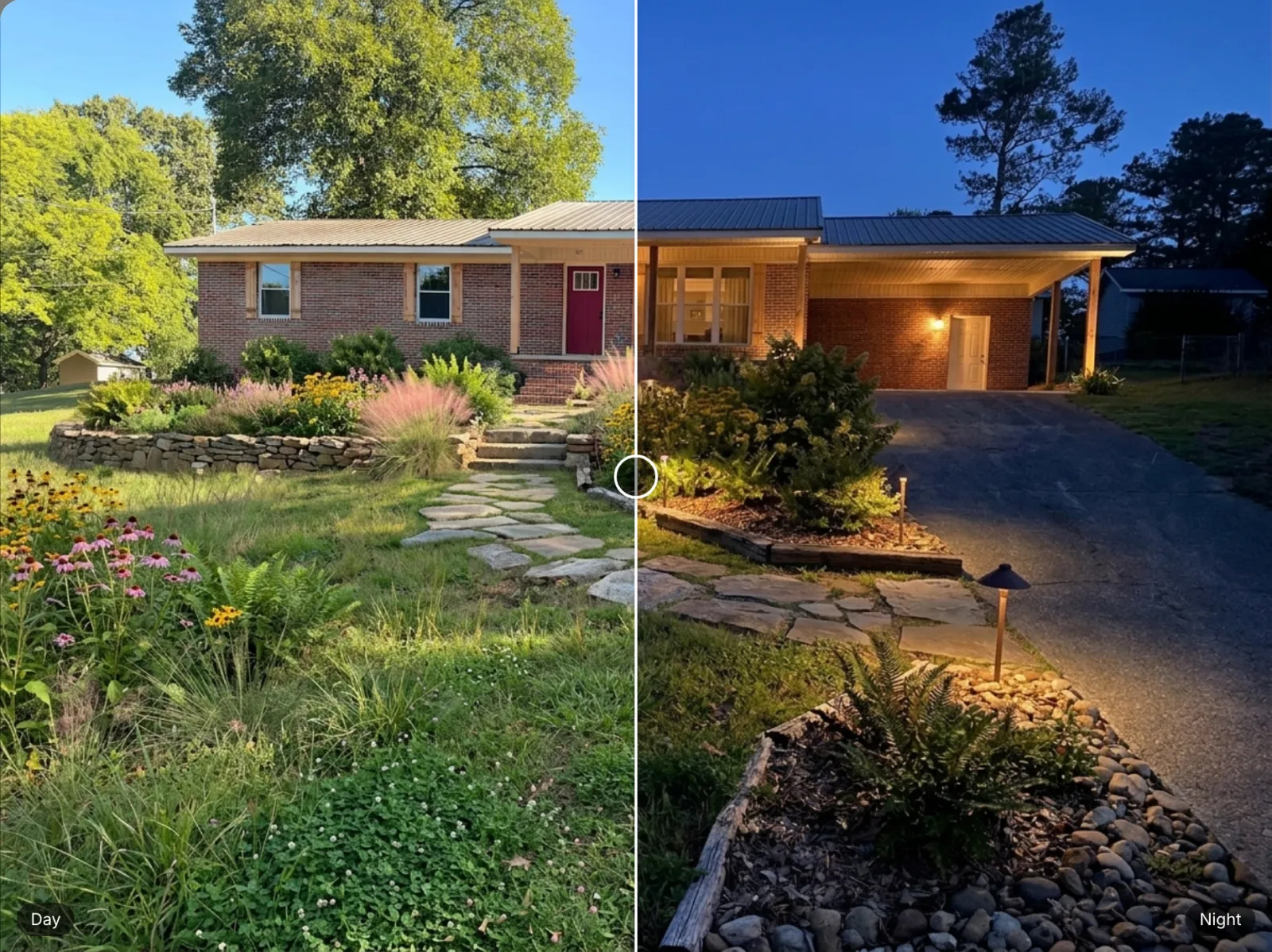
From a daytime photo to a lit-up yard and a priced estimate
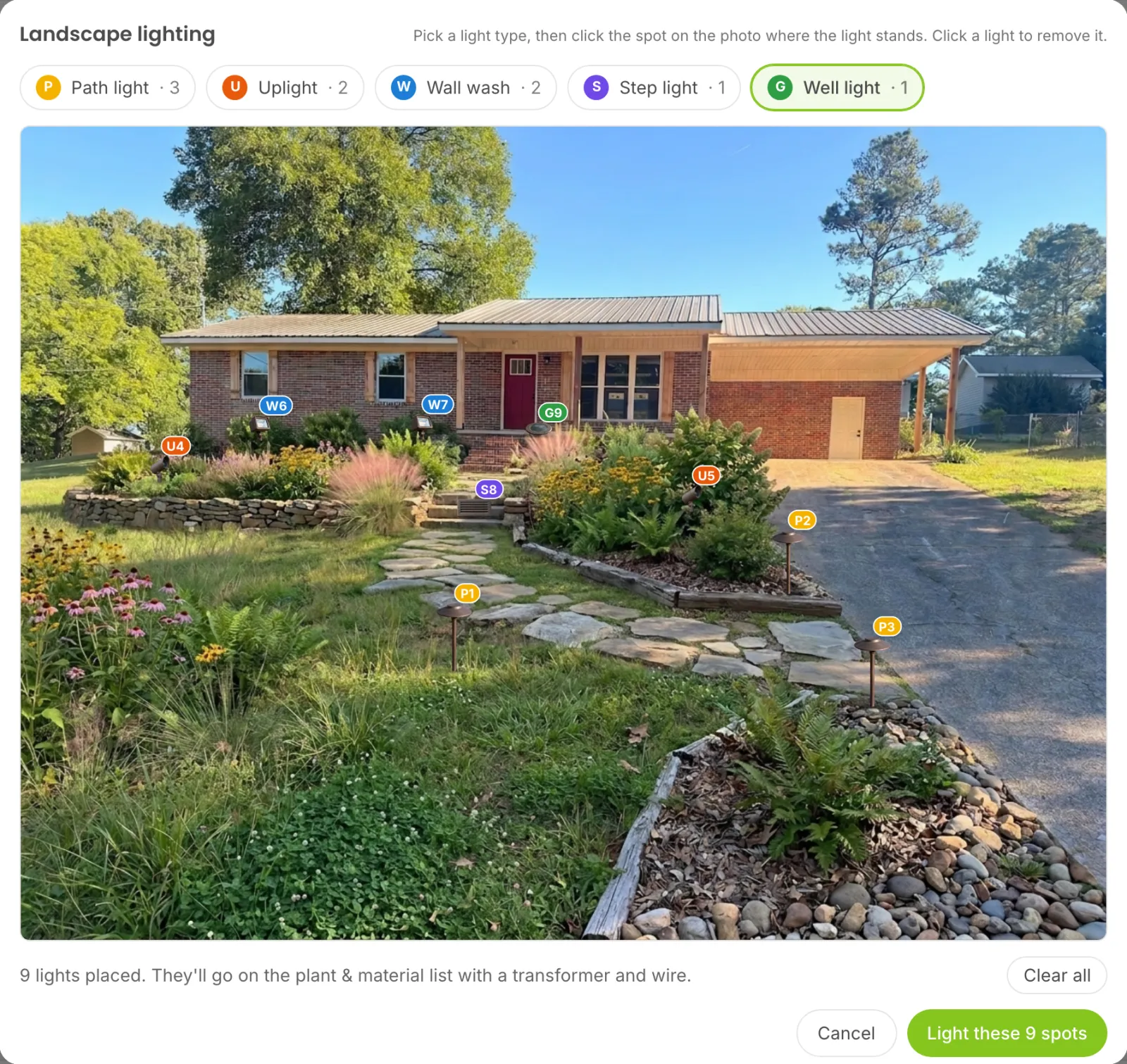
Click the photo where each light goes
Open a design and click Lighting. Pick a light type: path light, uplight, wall wash, step light or well light. Then click the photo where the light stands. A photo of that light with a numbered tag shows on that spot, and clicking it removes it. When the layout looks right, click "Light these spots."
Start Free Trial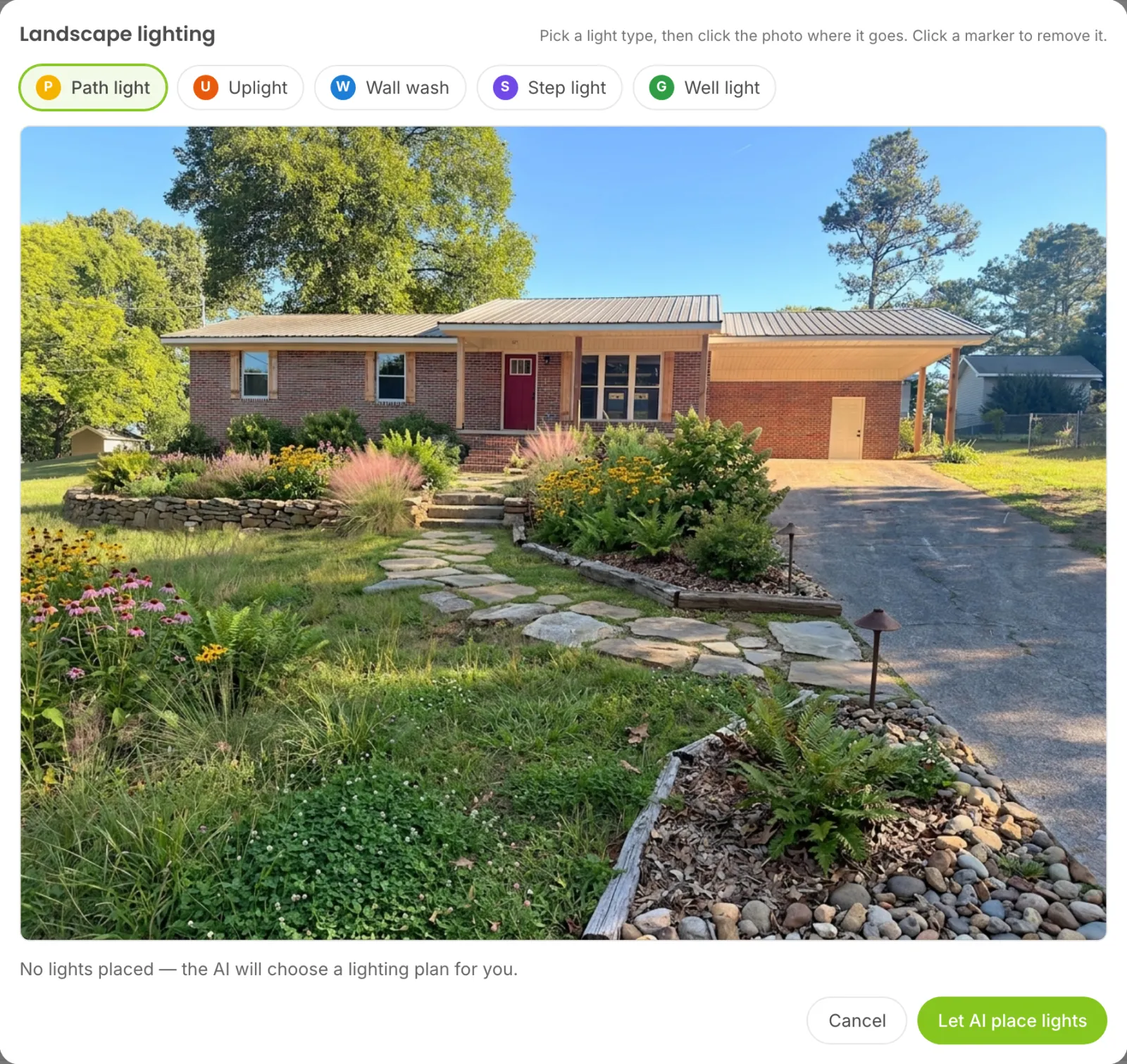
No time to lay it out? Let the AI do it
Skip placing lights and click "Let AI place lights." The AI picks a tasteful plan for the yard: path lights along the walk, uplights on the best trees and shrubs and soft washes on the house. You get back a realistic night photo lit with warm 2700K low-voltage lighting in about 15 to 45 seconds.
Start Free Trial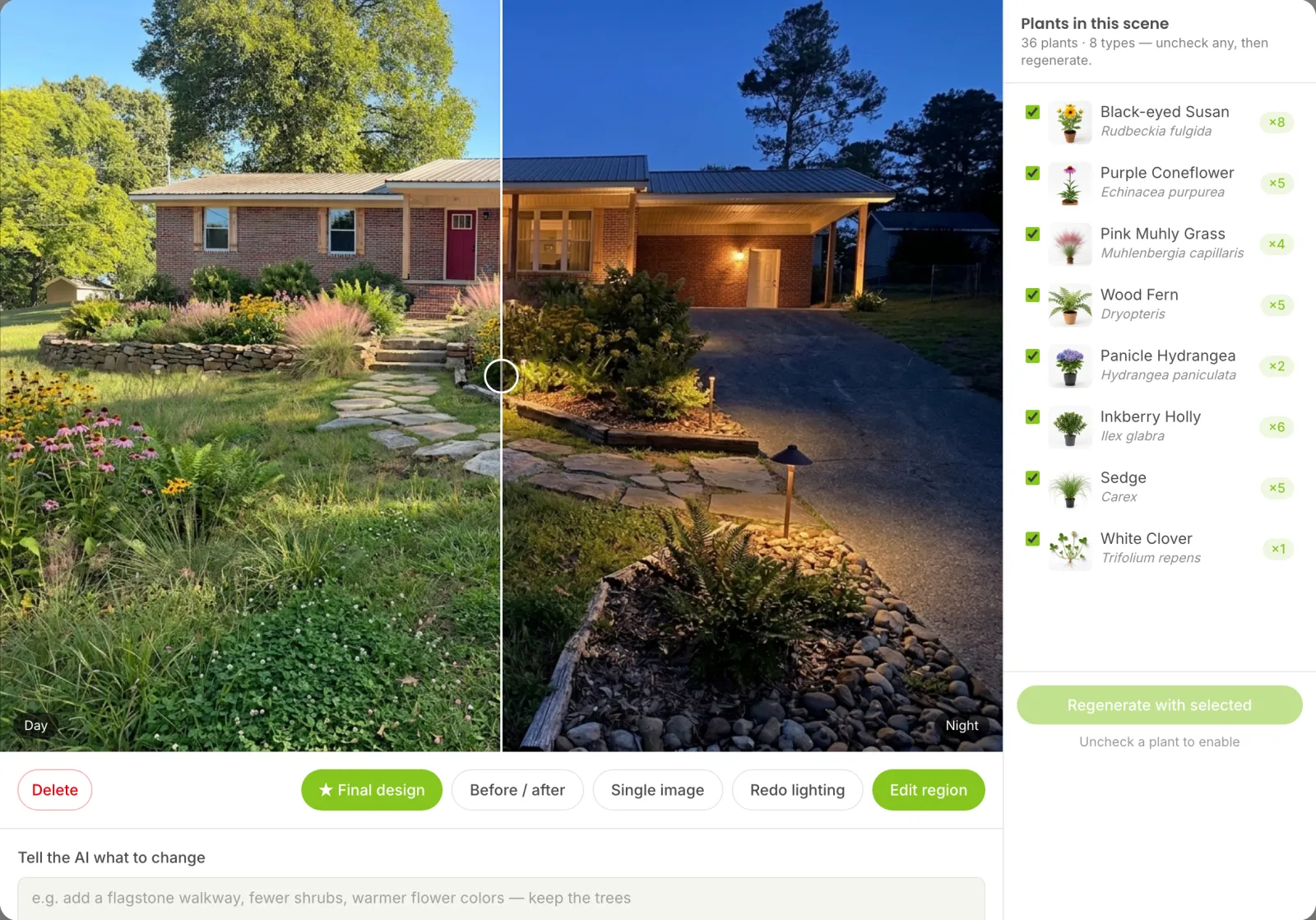
Slide from day to night in front of the customer
Click Day / night and drag the slider across the photo to show the same yard in daylight and after dark. Designs with lighting get a Night view badge so they're easy to find. Want a different layout? Click Redo lighting and you start from the lights you placed last time.
Start Free Trial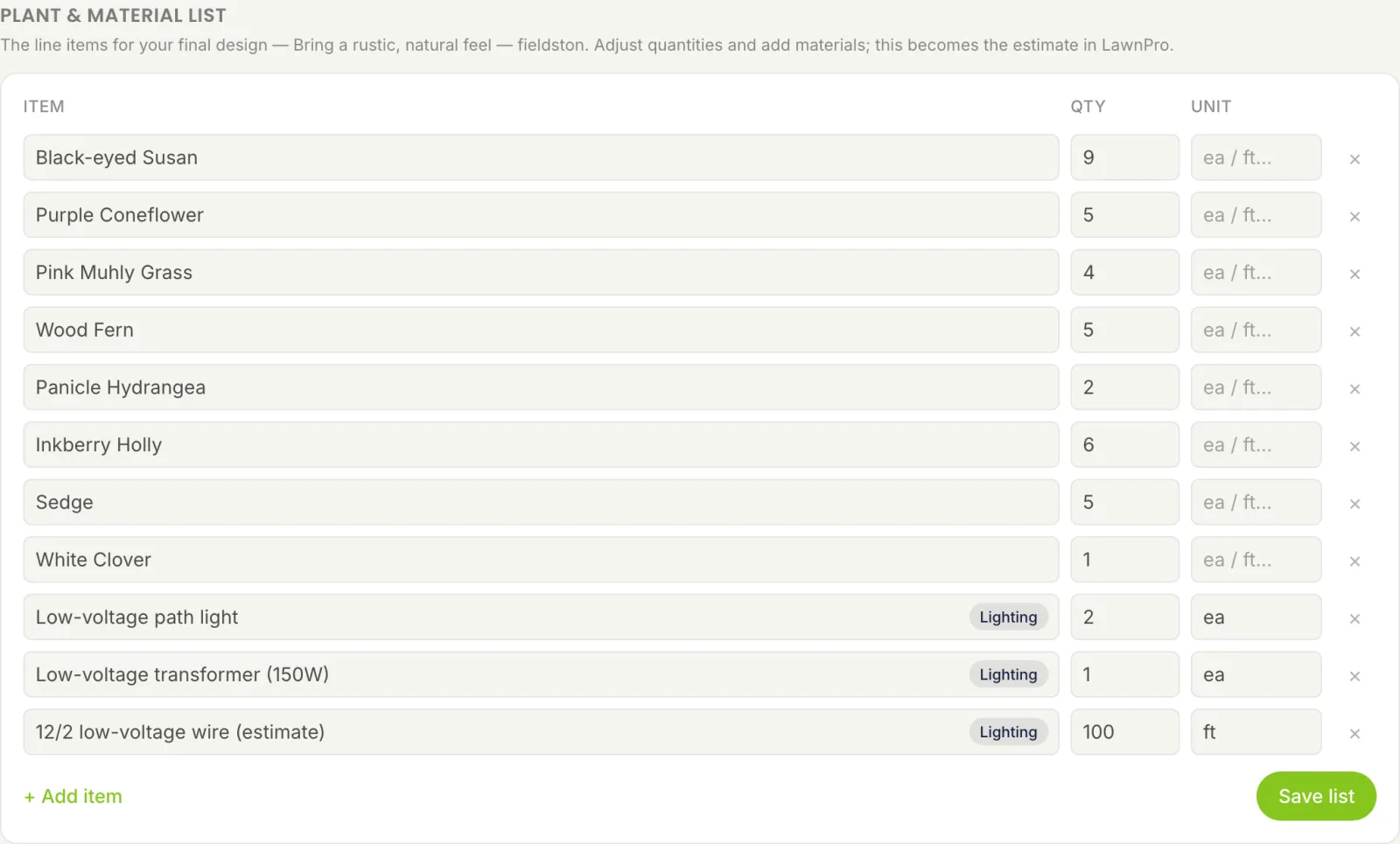
Fixtures, transformer and wire, already counted
Every lighting plan adds its own lines to the plant & material list, tagged Lighting: each light type and how many, a low-voltage transformer sized for the load and an estimated length of 12/2 low-voltage wire. Adjust anything you like, then send the list to a LawnPro estimate with the rest of the design.
Start Free TrialWhy landscapers use LawnPro for lighting jobs
Close more lighting work by showing it instead of describing it.
A realistic night view
Warm 2700K light, soft pools and beams and no glare. It looks like a photo taken after sunset.
Five light types
Path lights, uplights, wall washes, step lights and in-ground well lights. Up to 40 per design.
AI or your own layout
Place every light yourself or let the AI pick a plan. Either way it's ready in under a minute.
Transformer sized for you
LawnPro adds up the watts and picks a 150, 300, 600, 900 or 1200 watt transformer at 80% load.
Wire estimated
About 25 feet of 12/2 wire per light plus the run to the transformer. Change it in one click.
Straight to the estimate
Lighting lines ride along with the plants and materials into the estimate you send from LawnPro.
Frequently asked questions
Open a design and click Lighting. Place lights yourself or let the AI choose where they go, then LawnPro turns the daytime design into a realistic night photo lit with warm 2700K low-voltage lighting. It takes about 15 to 45 seconds.
Path lights, uplights, wall washes, step lights and in-ground well lights. Pick a type, click the photo where it stands and click a light to remove it. You can place up to 40 lights on one design.
Each light type and how many, a low-voltage transformer sized for the load at 80% capacity (150, 300, 600, 900 or 1200 watts) and an estimated length of 12/2 low-voltage wire. They land on the plant & material list with a Lighting tag and go into the estimate you send to LawnPro.
Wire can't be measured from a photo, so LawnPro estimates about 25 feet per light plus 25 feet back to the transformer, rounded up to the next 50 feet. Change the number on the list before you send the estimate.
Landscape lighting is part of LawnPro Design. In LawnPro, open Tools and then Design, open a design and click Lighting.