Show customers their new yard before you sell the job
Take a photo of the yard and LawnPro's AI turns it into finished landscape designs in seconds. Pick plants that grow in their zone, slide from before to after in front of the customer and send the plant & material list straight to your estimate.
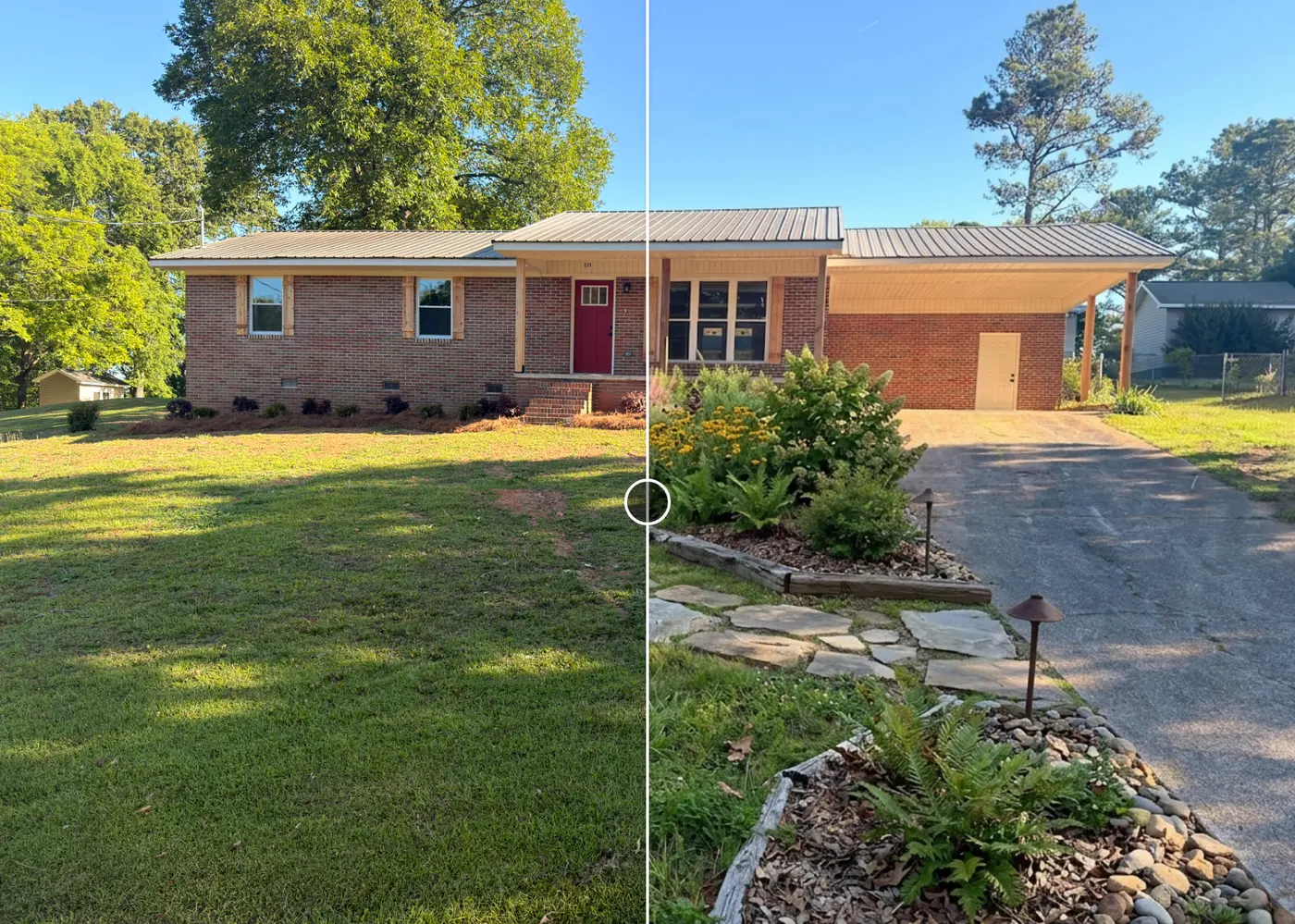
From a yard photo to a finished design and a priced estimate
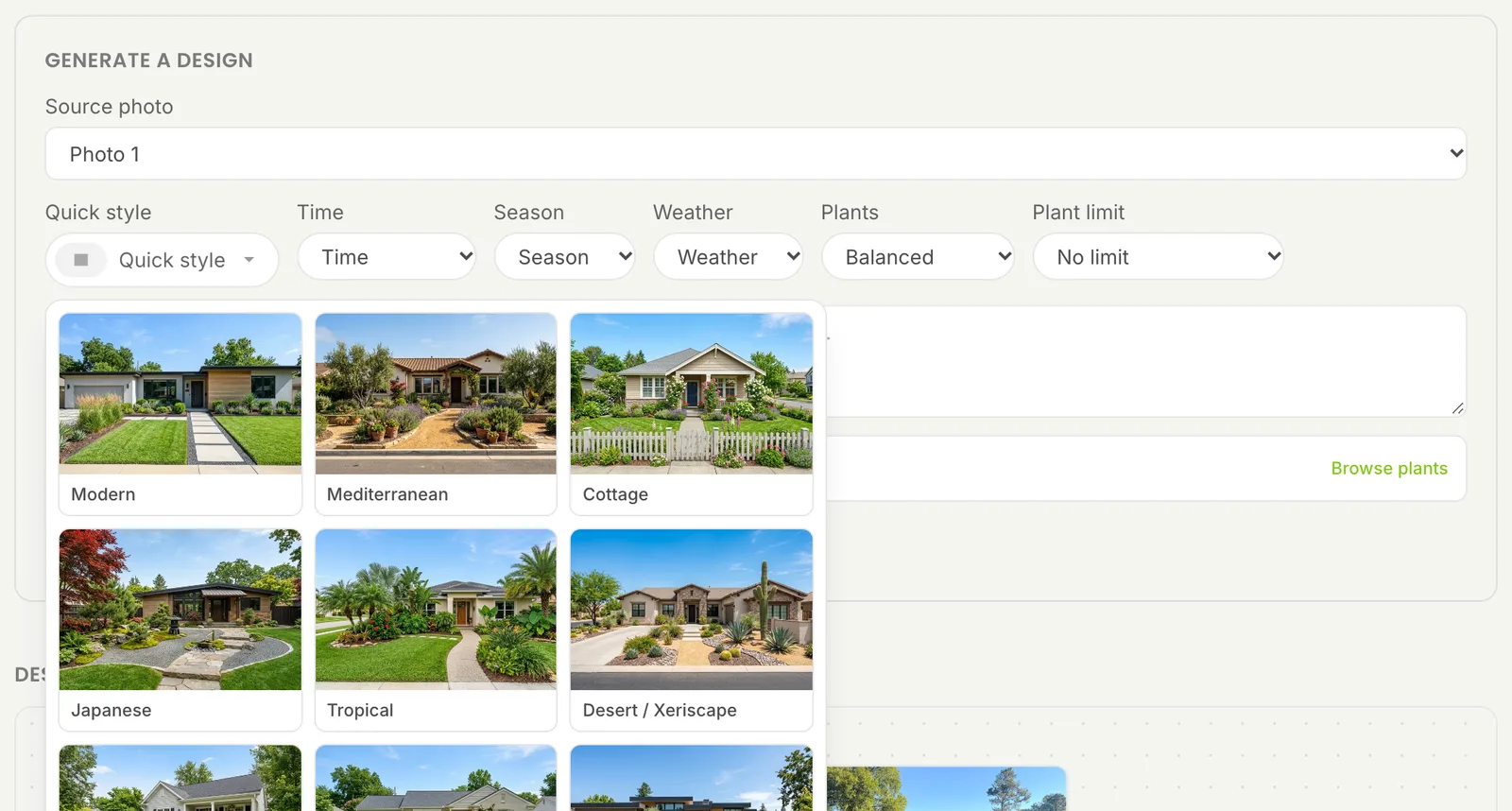
Three designs from one photo in seconds
Upload a photo of the customer's yard and pick a quick style: Modern, Cottage, Japanese, Desert / Xeriscape, Farmhouse and 11 more. Or describe exactly what you want. Set the time of day, season and weather, then click Generate designs. You get three designs of the same yard in about 15 to 30 seconds.
Start Free Trial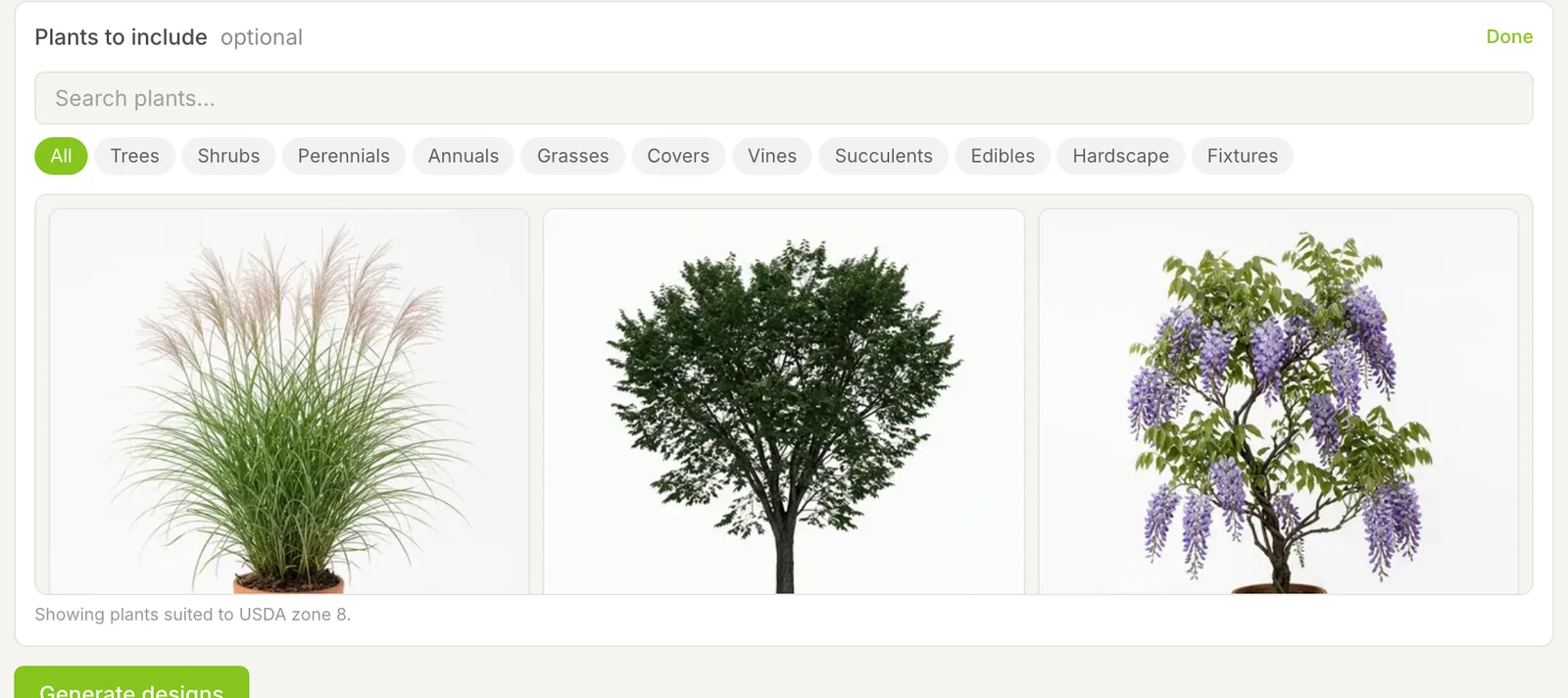
Plants that grow in your customer's zone
Enter the property ZIP and LawnPro finds its USDA hardiness zone. Browse trees, shrubs, perennials, grasses, vines, hardscape and more that grow there and pick the ones to include. Choose Minimal, Balanced or Lush beds and cap how many plant types the design uses.
Start Free Trial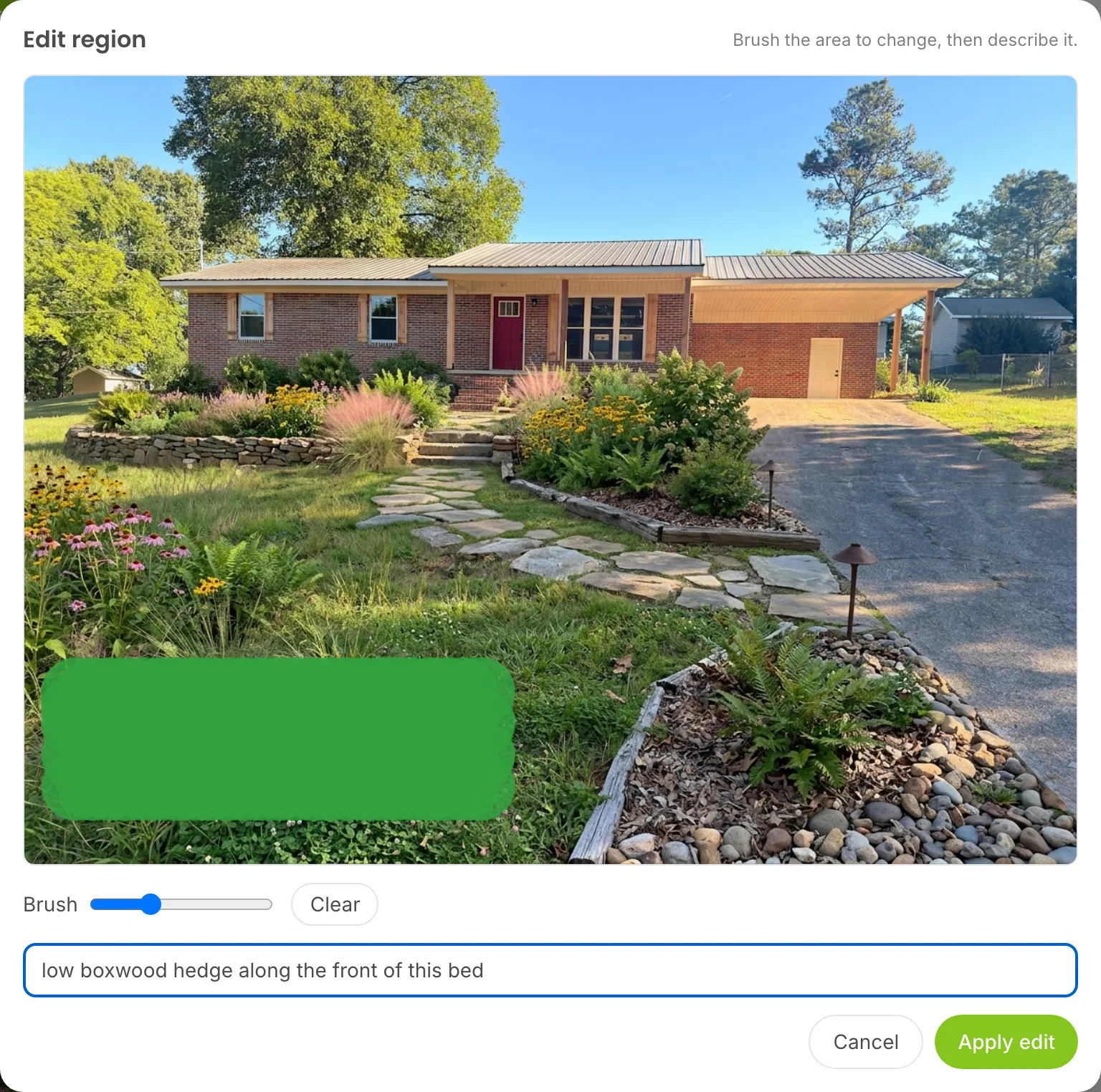
Change one bed without starting over
Tell the AI what to change, like a flagstone walk or warmer flower colors, and it regenerates the design. To change one spot, click Edit region, brush the area and say what goes there. Every design also lists the plants in it, and you can uncheck any plant and regenerate without it.
Start Free Trial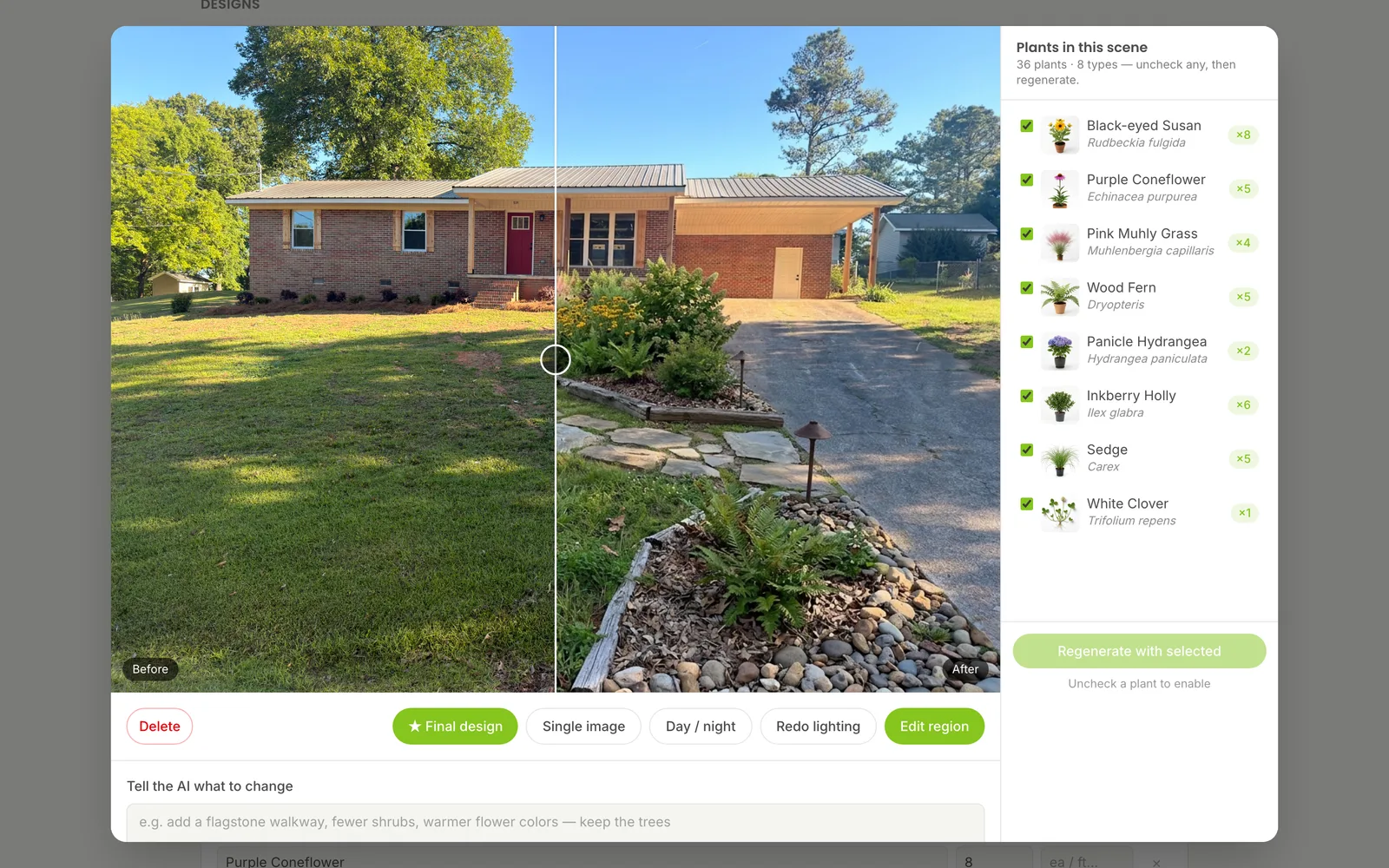
Show the customer their yard before and after
Open any design and drag the Before / after slider across the photo to show the yard today and with the new landscape. Lay all the options out on the design board and star the one the customer picks as the final design. You can even turn the before and after into a short video.
Start Free Trial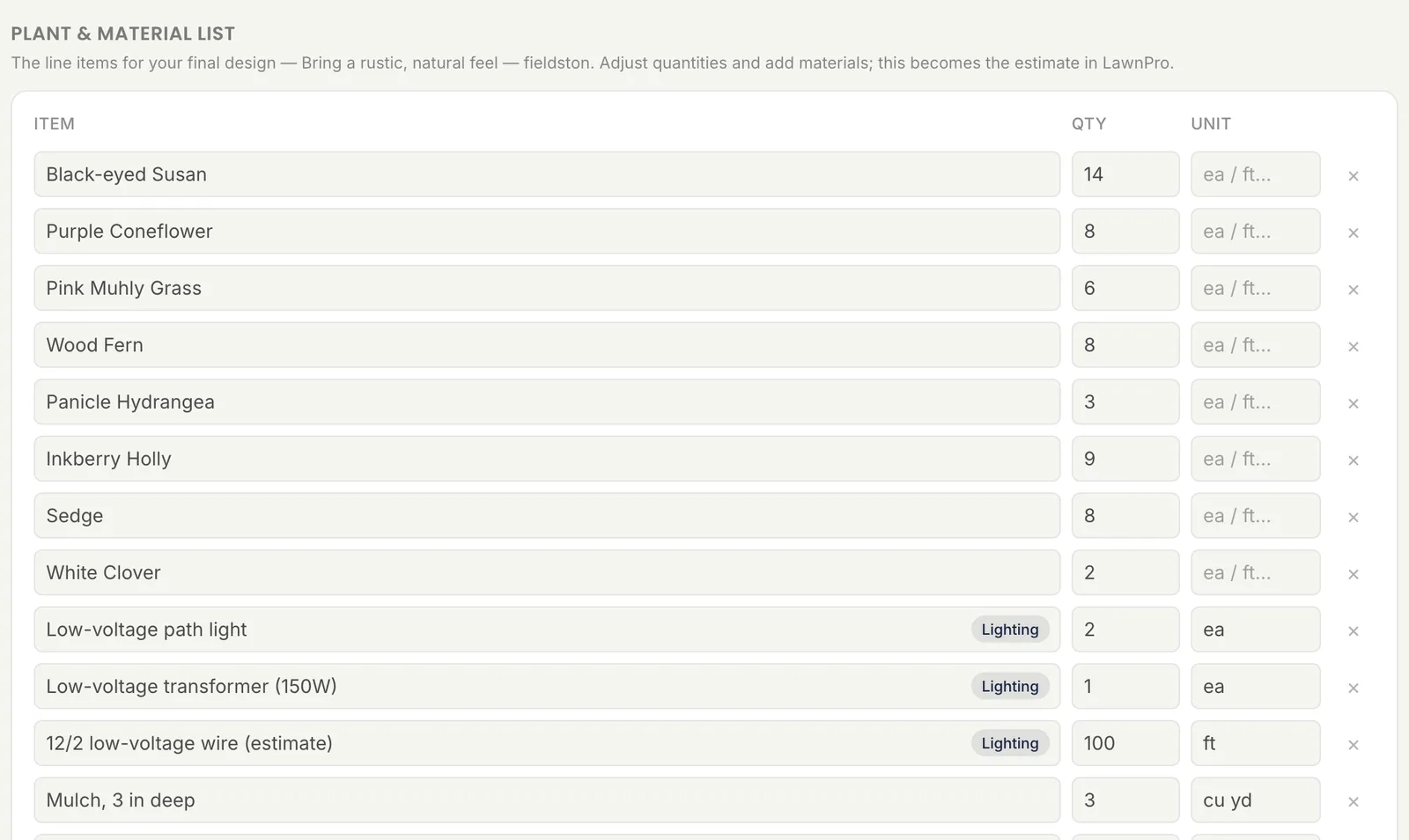
A plant & material list ready to price
The final design gets its own plant & material list: each plant and how many, counted from the design. Plants already in the yard aren't counted. Adjust quantities, add materials like mulch or edging, then create an estimate from the design in LawnPro and the list becomes its line items.
Start Free TrialWhy landscapers use LawnPro Design
Close more installs by showing the finished yard instead of describing it.
Designs in seconds
Three AI designs of the real yard in about 15 to 30 seconds. Make as many rounds as you need.
Designs on their own house
Use a photo of your customer's house to show them what their yard could look like. They see new ideas on their own home, not a stock picture.
Plants for the zone
Enter the ZIP and every design uses plants hardy in that USDA zone.
16 quick styles
Modern, Cottage, Japanese, Tropical, Desert / Xeriscape, Farmhouse, Coastal and more.
Counted plant list
Each plant and how many, counted from the final design. Existing plants are skipped.
Straight to the estimate
Create an estimate from the design in LawnPro and the list becomes its line items.
Frequently asked questions
Take a photo of the customer's yard and upload it to a design project. Pick a style or describe what you want and LawnPro gives you three AI landscape designs of that same yard in about 15 to 30 seconds. Star the one the customer likes as the final design.
Yes. The AI changes the landscaping and keeps the house, the driveway and the trees that are already there. The plant list also skips plants that were already in the yard, so you only price what you add.
Yes. Enter the property ZIP and LawnPro shows plants hardy in that USDA zone. Pick trees, shrubs, perennials, grasses and more to include, set how full the beds should be and limit how many plant types the design uses.
Yes. Type what to change, like a flagstone walk or warmer flower colors, and regenerate. Or use Edit region to brush one area and say what goes there. You can also uncheck any plant in the design and regenerate without it.
Every final design gets a plant & material list with each plant and how many. Adjust quantities and add materials like mulch or edging. Then create an estimate from the design in LawnPro and the list becomes its line items.
In LawnPro, open Tools and then Design. Upload a photo of the property and pick a style to make your first design.