Get paid faster. Every way customers want to pay.
Accept credit cards, ACH bank transfers, and PayPal—all built into LawnPro. Save cards on file and charge with one click. Let customers pay invoices from their phone through the customer portal. Pass processing fees or absorb them. Your money, your rules.
Three ways to get paid, one place to manage it all
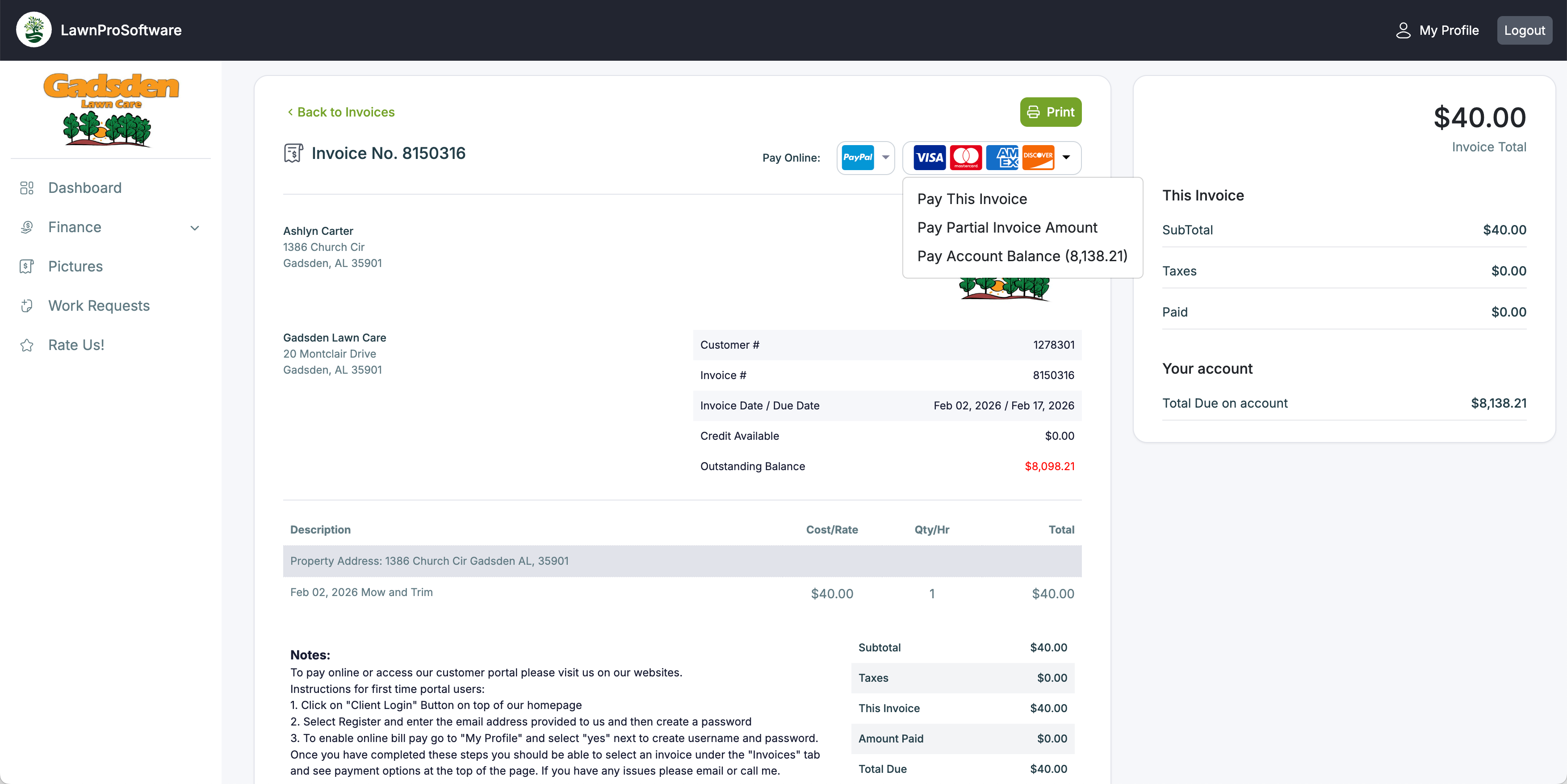
Accept every major card with no monthly gateway fees
With LawnPro Online Payments you can accept Visa, Mastercard, American Express, and Discover. Processing is 2.9% + $0.30 per transaction. Save cards on file and charge them from multiple places—the Charge Cards screen, the payments page, or directly from an invoice. You can enter a card yourself on the customer profile, or send a text or email requesting the customer add their card through the portal. When the customer authorizes the card, they can optionally allow you to charge it any time or enable auto-charge.
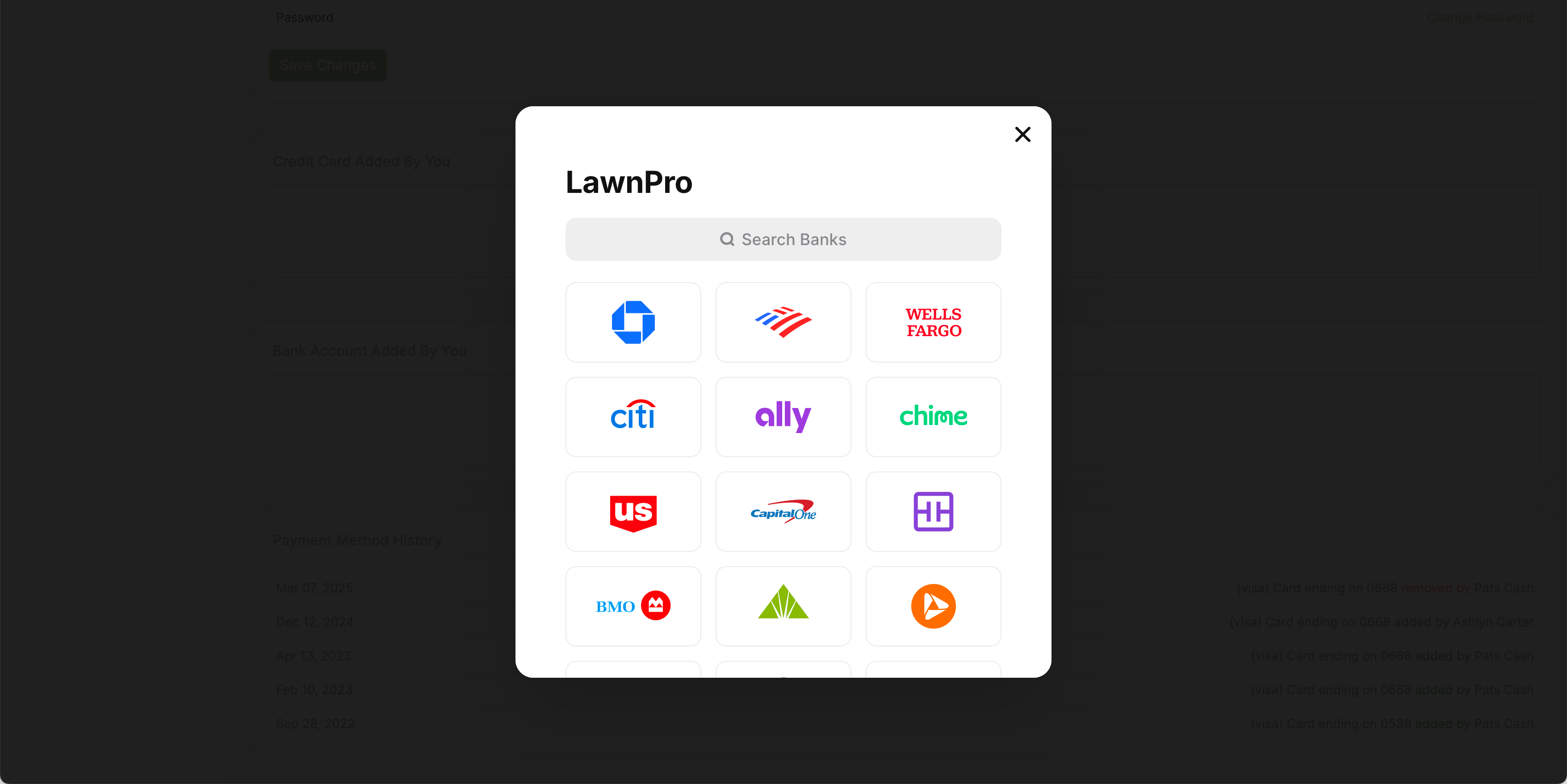
Lower fees for bigger invoices
ACH processing fees are just 0.80%, capped at $5 per transaction. A $100 payment costs $0.80. A $1,000 payment costs $5. That's a major savings over credit card rates on larger invoices. To get started, enable the ACH add-on and your customers connect their bank account through the portal using Plaid—a secure bank-linking service. Once connected, you can charge their bank account just like a saved card. ACH is especially useful for commercial accounts, level billing customers, and anyone you regularly invoice for larger amounts.
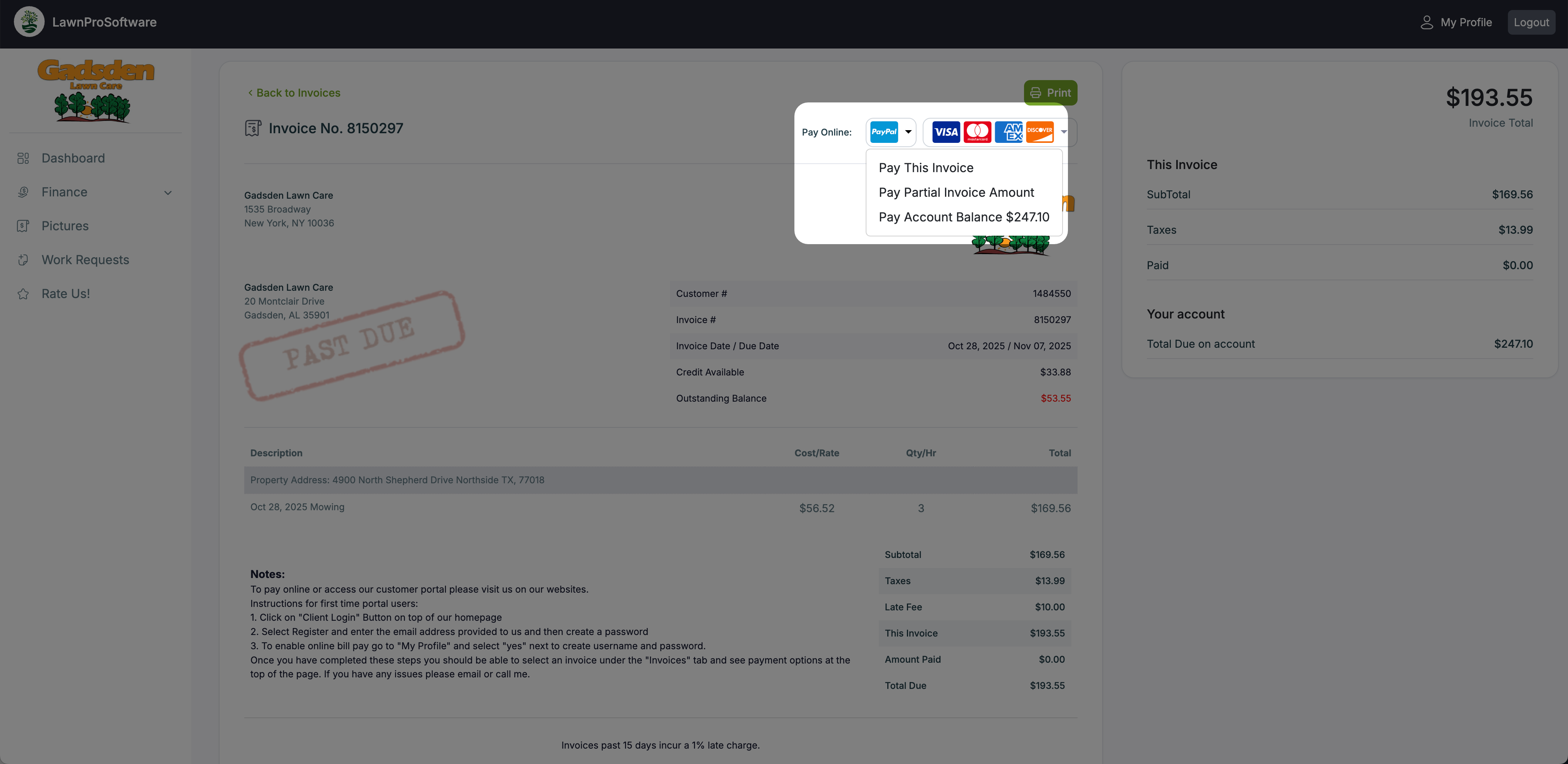
One more way for customers to pay
Enable PayPal by entering your PayPal email address in your payment settings. When a customer views an invoice in the portal, they'll see a PayPal button alongside the credit card option. You can add no fee, or set a flat fee that's added when the customer chooses PayPal. Some customers prefer PayPal because they already have funds there or because it's what they're used to. Having it as an option removes one more barrier between you and getting paid.
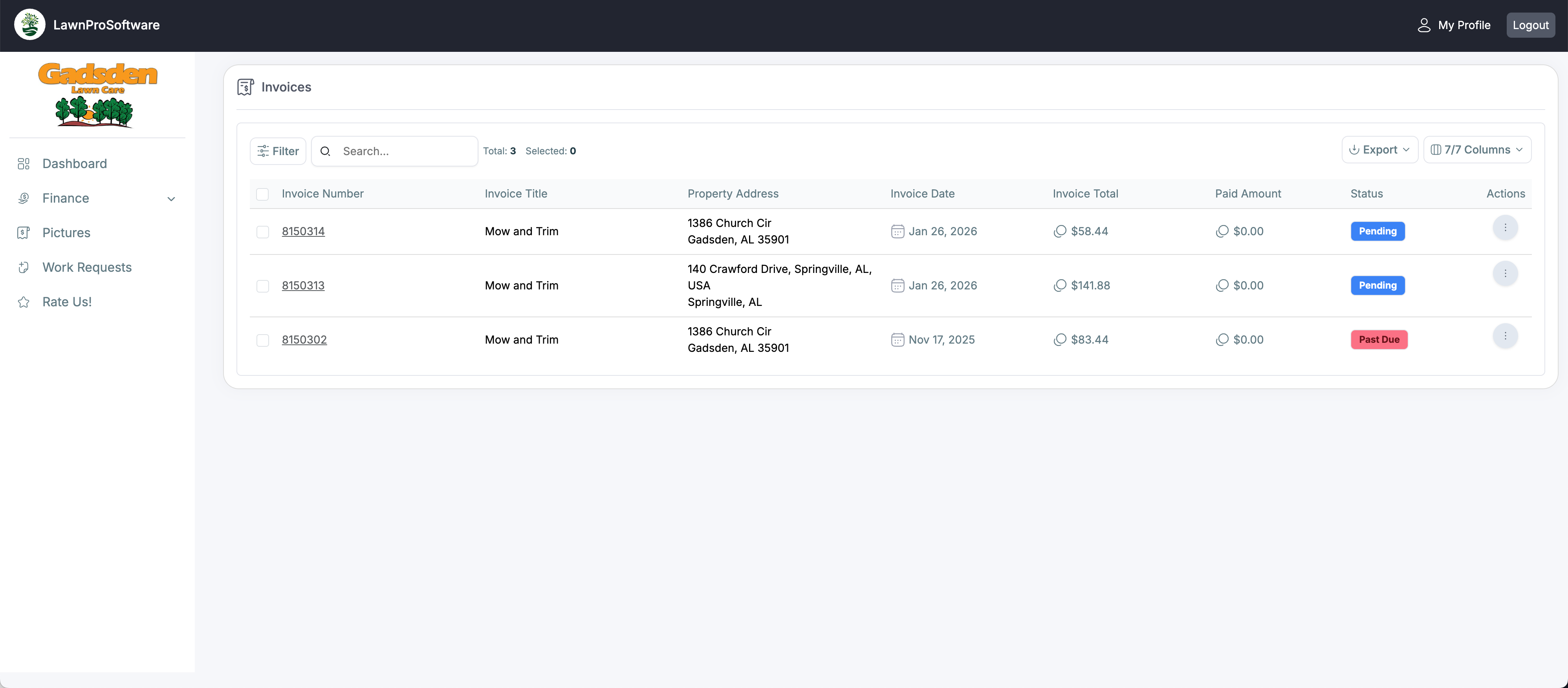
Customers pay from their phone in two taps
When you send an invoice by email or text, the customer clicks through to their portal where they see the invoice and a pay button. They can pay with a saved card, enter a new card, use ACH, or pay with PayPal. Customers can also go to the Finance section of their portal, view all open invoices, and pay any of them on the spot. They can add credits to their account or make a deposit. The portal handles everything—you just check your payment ledger.
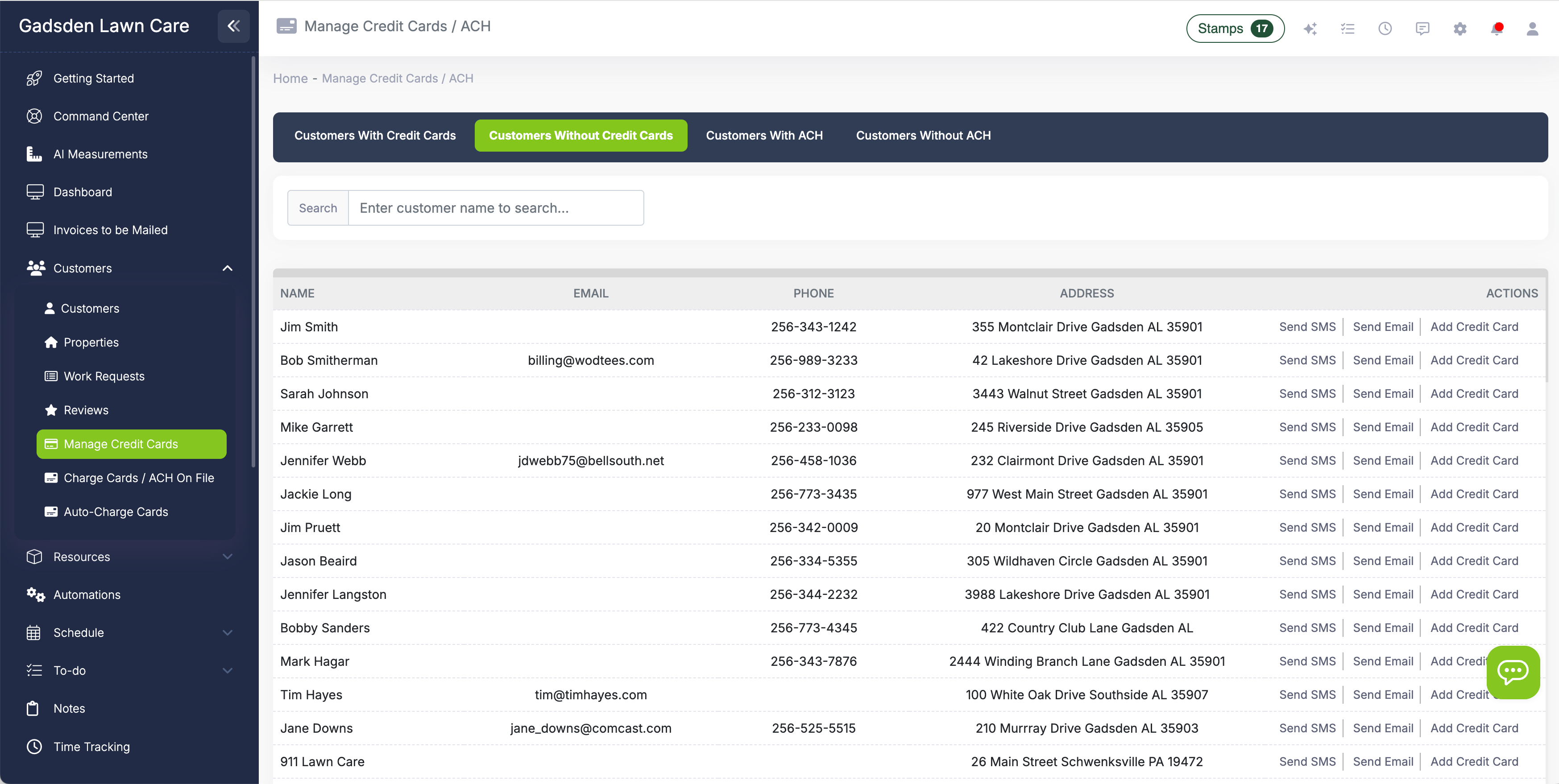
Save cards. Charge cards. Manage everything from one screen.
Go to Customers → Manage Credit Cards and you see two tabs: customers with cards on file and customers without. For customers without a card, send a text or email requesting they add one through the portal—or enter it yourself on their profile. For customers with a card, charge it from the same screen with one click.
When a customer saves a card, they choose whether to allow you to charge it. If they authorize it, you can charge that card from the Charge Cards screen, the Payments page, or directly from an invoice. Combine with auto-charge to collect payment automatically when invoices are created.
Switching our commercial accounts to ACH saved us over $400 a month in processing fees. The customers didn't care—they just clicked a link to connect their bank. And the residential customers love paying by card right from the invoice text we send them.
LawnPro Customer
Payments built for field service
Every feature is designed to reduce the time between finishing a job and getting paid.
Save Cards on File
Add cards on the customer profile or request customers add their own through the portal. Charge saved cards from multiple places in LawnPro with one click.
Pass Fees to Customers
Choose to absorb processing fees, pass the exact fee to the customer, or add a flat fee. The amount is added automatically when they pay online.
ACH for Large Invoices
0.80% processing capped at $5 per transaction. Significantly cheaper than credit cards for commercial accounts and level billing customers.
Auto-Charge on File
Automatically charge a customer's card or bank account when an invoice is created. No manual billing, no chasing payments—it just happens.
Automatic Receipts
When a payment is processed, LawnPro generates a receipt. Customers can view receipts in the portal or receive them by email or text.
Consumer Financing
Offer Wisetack financing so customers can pay over time while you get paid upfront. Great for large estimates and seasonal projects.
Processing fees at a glance
You can pass these fees to your customers or absorb them—your choice. ACH is an add-on feature.
What are online payments for lawn care?
Online payments for lawn care mean your customers can pay invoices electronically—by credit card, bank transfer (ACH), or PayPal—instead of writing checks or paying cash. You send an invoice by email or text, they click through to pay in the customer portal, and the money hits your account. No chasing down checks, no trips to the bank, no "I forgot my checkbook."
LawnPro's payment system is powered by Stripe and lets you save credit cards and bank accounts on file so you can charge them any time with one click—or set up auto-charge to collect payment automatically when invoices are created. You can pass processing fees to customers or absorb them. ACH transfers offer significantly lower fees for larger invoices, which makes them ideal for commercial accounts and level billing customers.
Combined with LawnPro's invoicing, automations, and text messaging, the payment workflow looks like this: close a visit, auto-create the invoice, auto-charge the card on file, and auto-send the receipt—all without touching a button. For customers who prefer to pay manually, they get a text with a link, tap to pay, and you're done. The Manage Credit Cards screen shows you who has a card on file and who doesn't, so you can send requests to get everyone set up.
Frequently asked questions
Customers can pay with Visa, Mastercard, American Express, Discover, ACH bank transfers, or PayPal. They pay through the customer portal, or you can charge a saved card or bank account from inside LawnPro.
Credit card processing is 2.9% + $0.30 per transaction. ACH processing is 0.80%, capped at $5 per transaction. For example, a $100 ACH payment costs $0.80 and a $1,000 ACH payment costs $5. There are no monthly gateway fees.
Yes. In your online payment settings, choose to add the exact processing fee, a flat fee, or no fee. The surcharge is added automatically at checkout when the customer pays online.
Two ways: enter the card directly on the customer's profile, or go to Customers → Manage Credit Cards and send a text or email requesting the customer add their card through the portal. When the customer adds their card, they authorize whether you can charge it.
Enable the ACH add-on, then customers connect their bank account through the portal using Plaid. Once linked, you can charge their bank account from LawnPro just like a saved card. Fees are 0.80%, capped at $5—much cheaper than credit cards for larger invoices.
Funds are deposited to your bank account on Stripe's standard payout schedule—typically 2 business days after the charge is processed. You can view payout details and history in your Stripe dashboard.
Credit card and PayPal payments are available on all paid plans. ACH bank transfers are an add-on feature. There are no monthly gateway fees—you only pay the per-transaction processing fee when a payment is made.
Explore more features
See what else LawnPro can do for your business.
Auto-Charge on File
Automatically charge a saved card or bank account when invoices are created. Zero manual billing effort.
Customer Statements
Send statements to customers with open balances. See aging at a glance and email or print them one at a time or in batch.
Consumer Financing
Let customers pay over time with Wisetack financing while you get paid upfront. Great for large jobs.
Resources
Help Articles
Guides on payment setup, saving cards, ACH, fees, and charging customers.
Payment Help Articles →Video Tutorials
Watch how to set up payments, save cards, and collect from the portal.
Watch Videos →