Help Article
Client Portals
Everything your customers can do in their portal—payments, estimates, documents, and more.
Read Now →Let customers request work, approve quotes, view and pay invoices, and see documents & payments—anytime, without calling. Your business stays open even when you're not.
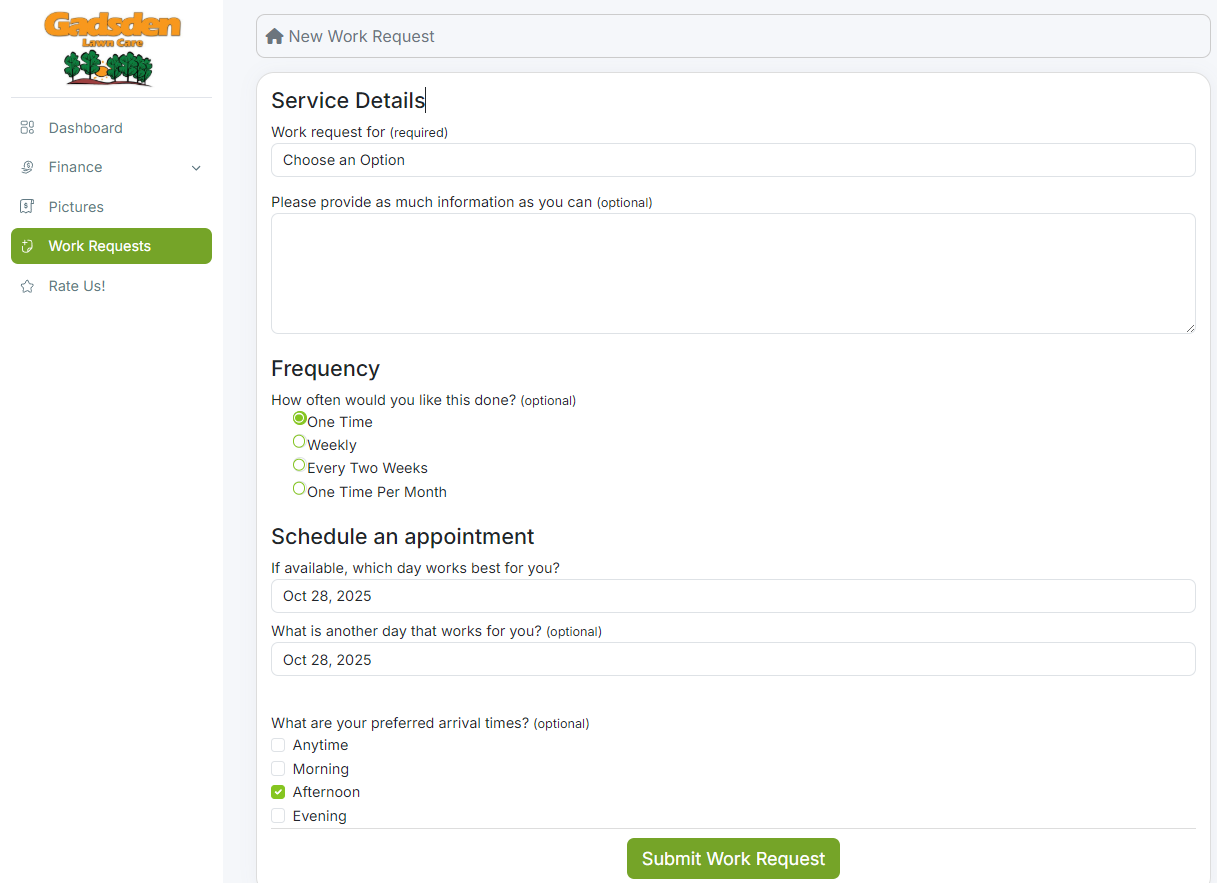
Customers submit service requests from the portal—requests flow straight into your queue for scheduling. No phone tag, no missed messages. They describe what they need, you get notified instantly, and work gets scheduled faster.
Start Free Trial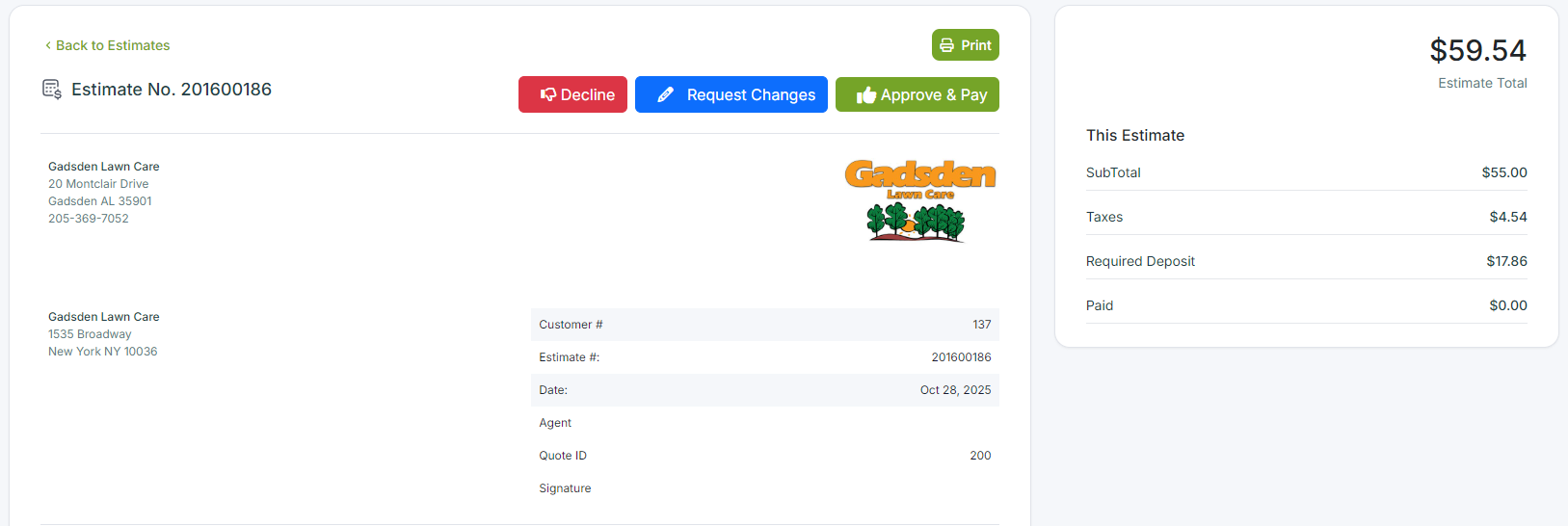
Let customers approve estimates and pay deposits online in one smooth flow—securing commitment before the work begins. They review line items, accept with a signature, and pay the deposit right there. No back-and-forth emails.
Start Free Trial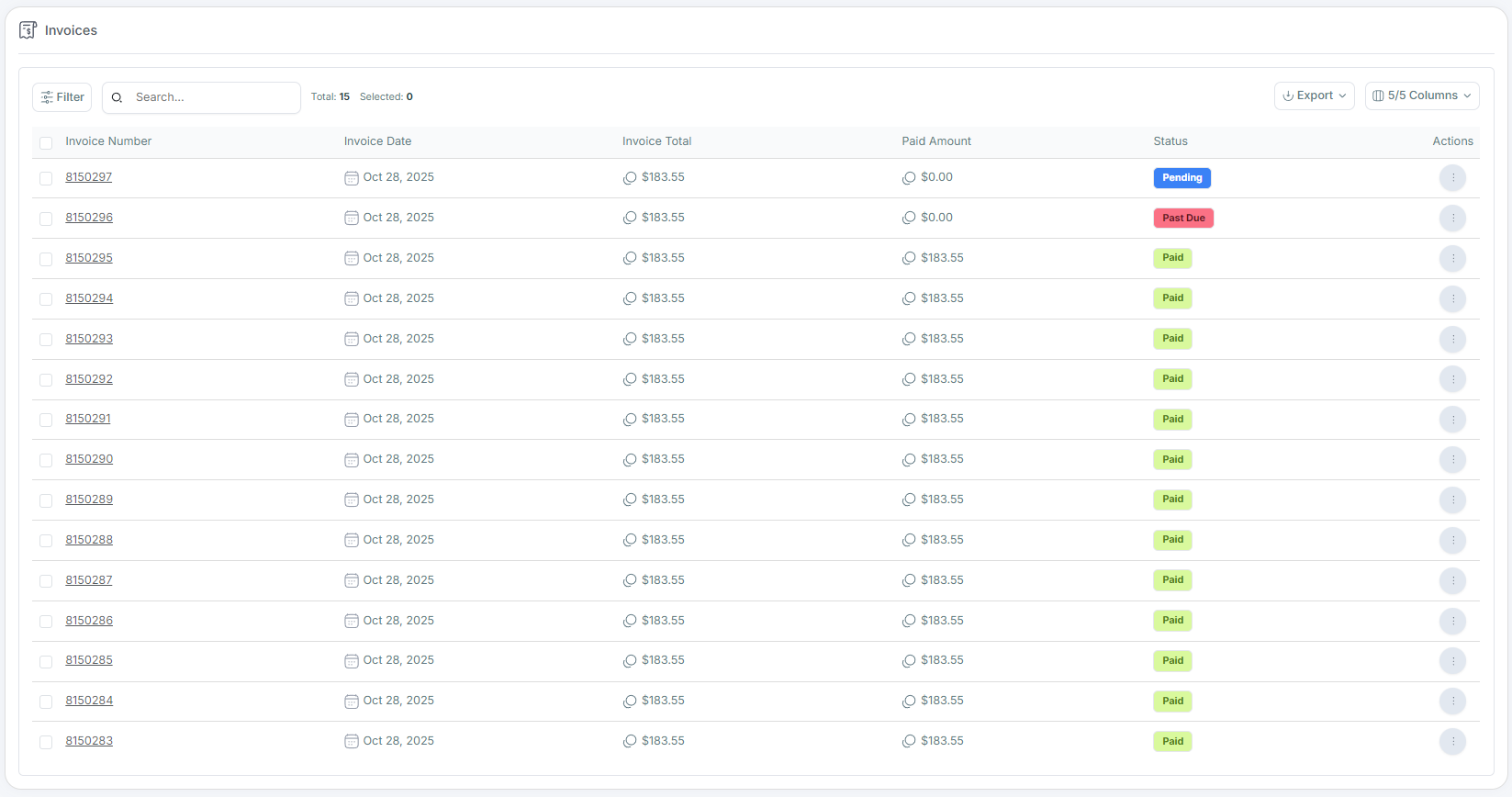
View invoices, pay by card or ACH, print/download receipts, and see what's due—all in one place. Customers can see their complete invoice history, download PDFs for their records, and pay multiple invoices at once.
Start Free Trial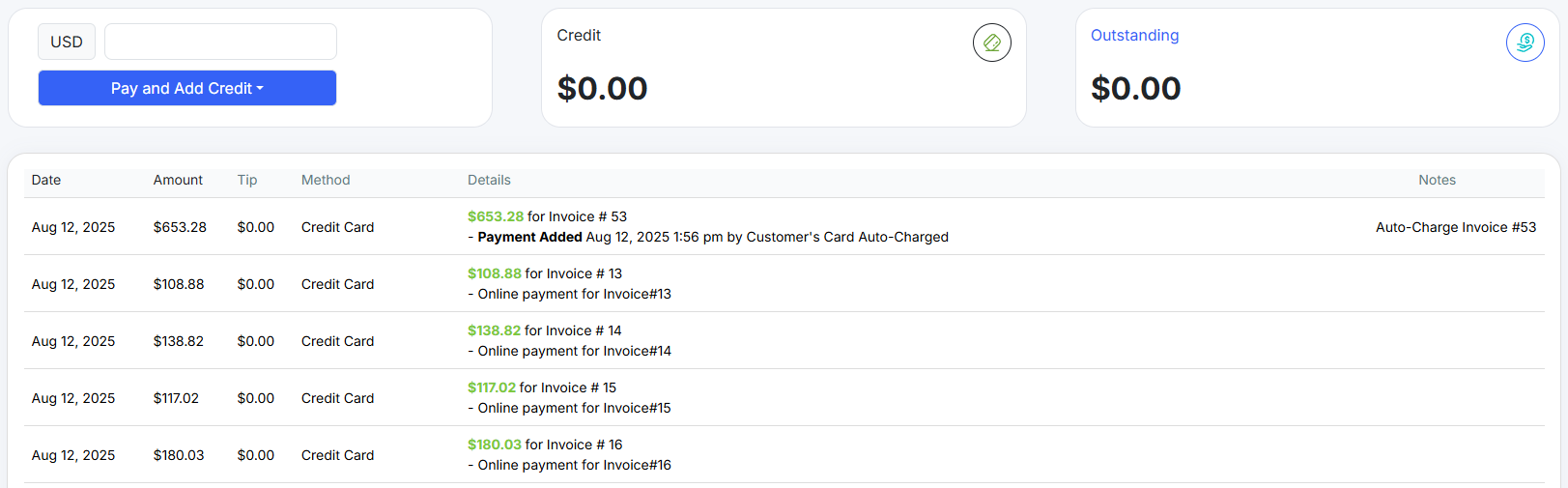
Customers can see what's due, review past payments, and pay by card or ACH—receipts ready to download. They can also save payment methods for faster checkout next time and set up autopay for recurring services.
Start Free TrialClient Portal is included in all LawnPro plans. No credit card required to start.
View Pricing"The Client Portal cut our phone calls in half. Customers love being able to approve quotes and pay invoices on their own time—evenings, weekends, whenever. And we get paid faster because there's no waiting for callbacks."
Give customers control while you stay in the loop.
Your portal works 24/7. Customers can request work, approve quotes, and pay invoices at 2am if they want.
Add your logo, colors, and custom domain. The portal looks like an extension of your business, not a third-party tool.
Get notified when customers approve quotes, make payments, or submit requests. Never miss an action.
Share contracts, service agreements, and other documents. Customers can access and download anytime.
Customers see their complete service history—past visits, what was done, and when. Fewer "when were you last here?" calls.
Each customer gets their own secure login. They only see their own information—never other customers' data.
Customers receive a link via email when you send them an invoice or estimate. They can also bookmark the portal URL. First-time users create a password; returning users just log in.
Yes. Add your logo, choose accent colors, and even use a custom domain (like portal.yourcompany.com). The portal reflects your brand, not ours.
View and pay invoices, approve estimates with e-signatures, request new work, see scheduled visits, access documents, view service history, update their contact info, and save payment methods.
Yes. Customers can see upcoming scheduled visits in the portal, so they know when to expect you. You control what details are visible.
Absolutely. The portal is fully responsive and works great on phones and tablets. Customers can approve quotes and pay invoices from anywhere.
Guides and support to help you get the most from Client Portal.
Everything your customers can do in their portal—payments, estimates, documents, and more.
Read Now →Add a login button to your website so customers can access their portal directly.
Read Now →Let customers submit work requests through their portal and customize what they can request.
Read Now →