Motivate your crew. Reward great work.
Performance-based pay with full visibility. LawnPro calculates both hourly and commission earnings for every employee, always paying the higher amount. See leaderboards, run the admin payroll interface, and compare P4P earnings against base pay—so you know exactly what performance pay is doing for your business.

How Pay for Performance works in LawnPro
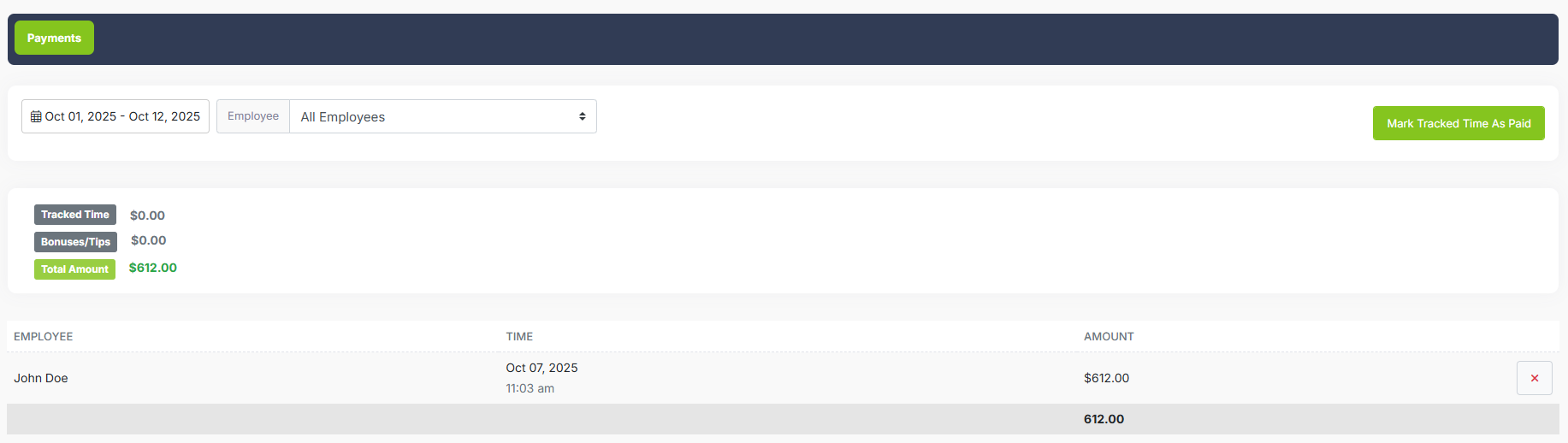
Always pay the higher amount
LawnPro calculates both hourly wages and performance-based earnings for every job. If commission beats hourly, they get commission. If hourly is higher, they get hourly. Your crew is always protected and always motivated to perform—no matter how a day goes.
Start Free Trial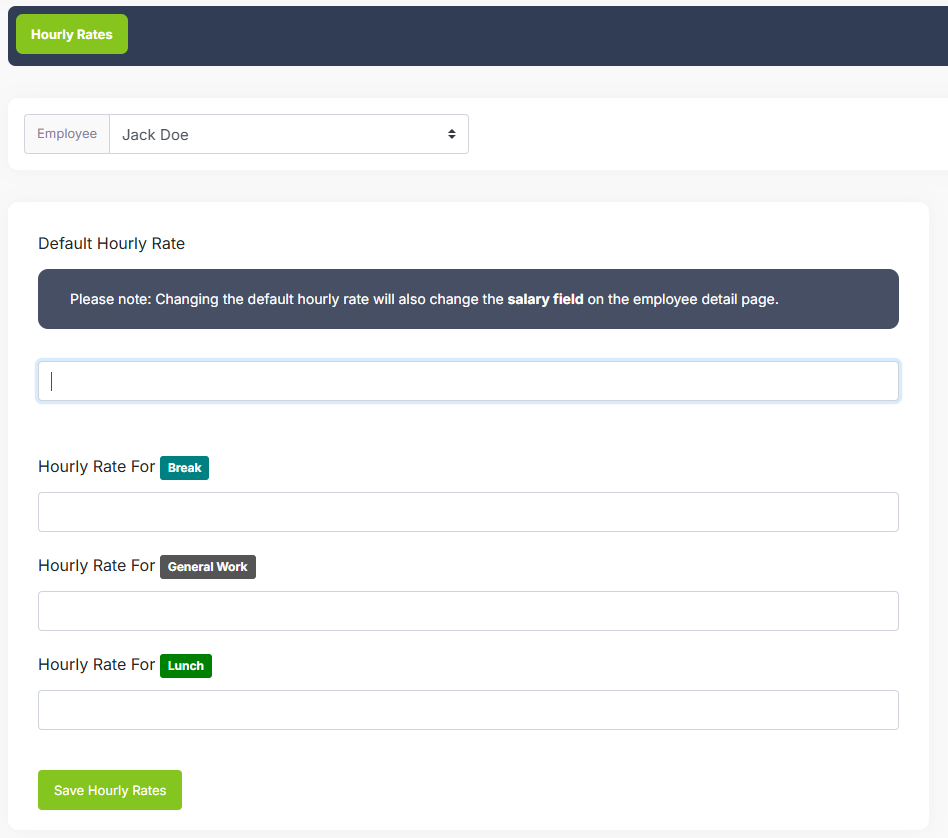
Six pay models to fit your business
Choose from hourly only, hourly plus flat bonus, hourly plus percentage of revenue, flat per job, flat plus percentage, or pure commission. Set different pay types and rates for different employees based on role, experience, or crew. Senior techs can earn more, new hires start protected—configure each person exactly as you need.
Start Free Trial
Run payroll with full visibility
The admin payroll interface gives you a centralized view of the entire pay period in one place. Every employee's jobs, hours, base pay, and P4P earnings are displayed side by side so you can review everything before exporting. No more piecing together numbers from multiple screens.
Built-in leaderboards highlight your top earners and most productive crew members. See who's crushing it, who might need coaching, and how individual performance compares across your whole team—right inside the payroll run.
Start Free Trial
See exactly what performance pay costs—and earns
Most businesses run P4P on gut feel. LawnPro gives you the numbers. The analytics panel compares what you actually paid under performance-based pay against what you would have paid at straight hourly rates. It shows the delta per employee and in total across the pay period.
Use these numbers to evaluate whether your current P4P rates are working, identify which employees generate the most P4P savings, and adjust commission percentages or bonus caps based on real data—not guesswork.
Start Free Trial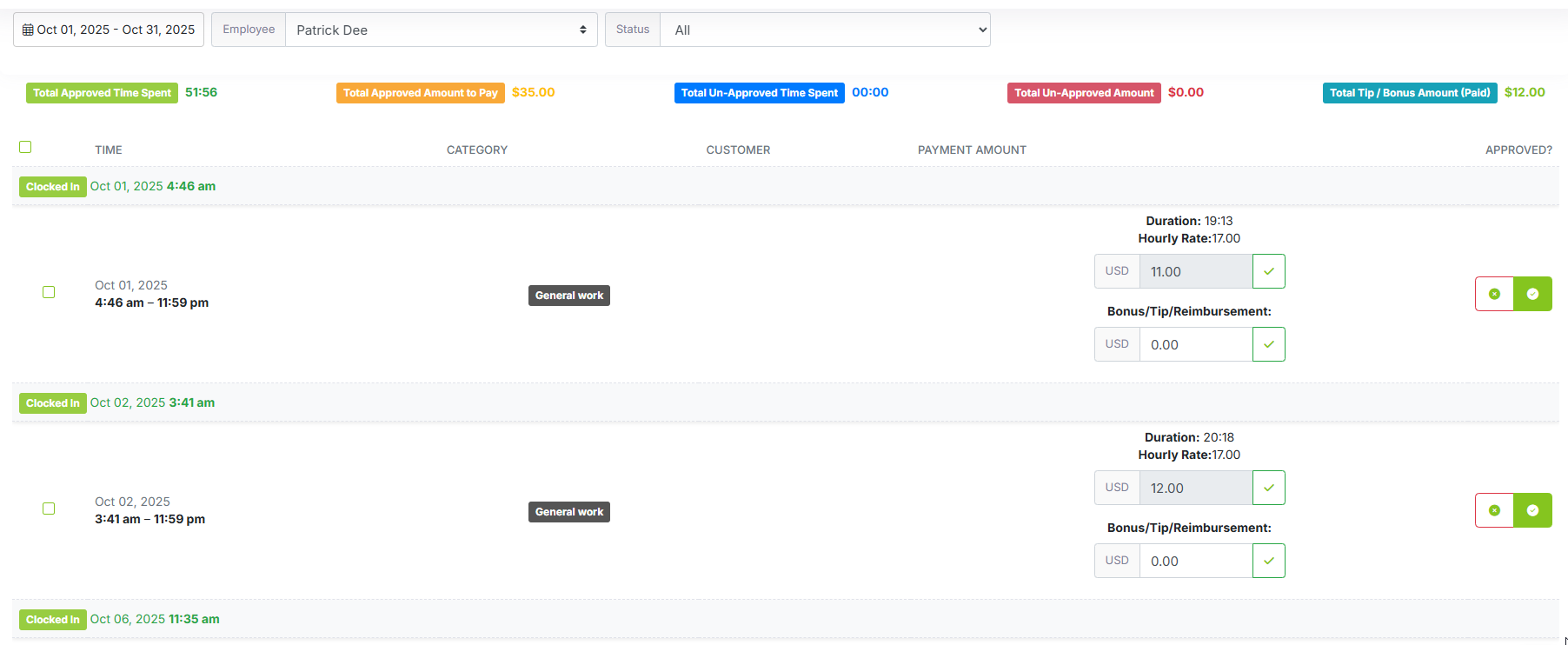
Minimum wage protection, automatic
Set your state's minimum wage and LawnPro automatically checks every pay period. If performance pay would drop someone below minimum wage, the system flags it before you run payroll. Stay compliant without manual calculations—get clear alerts on any employee whose effective hourly rate (total pay ÷ hours worked) falls below your threshold.
Start Free Trial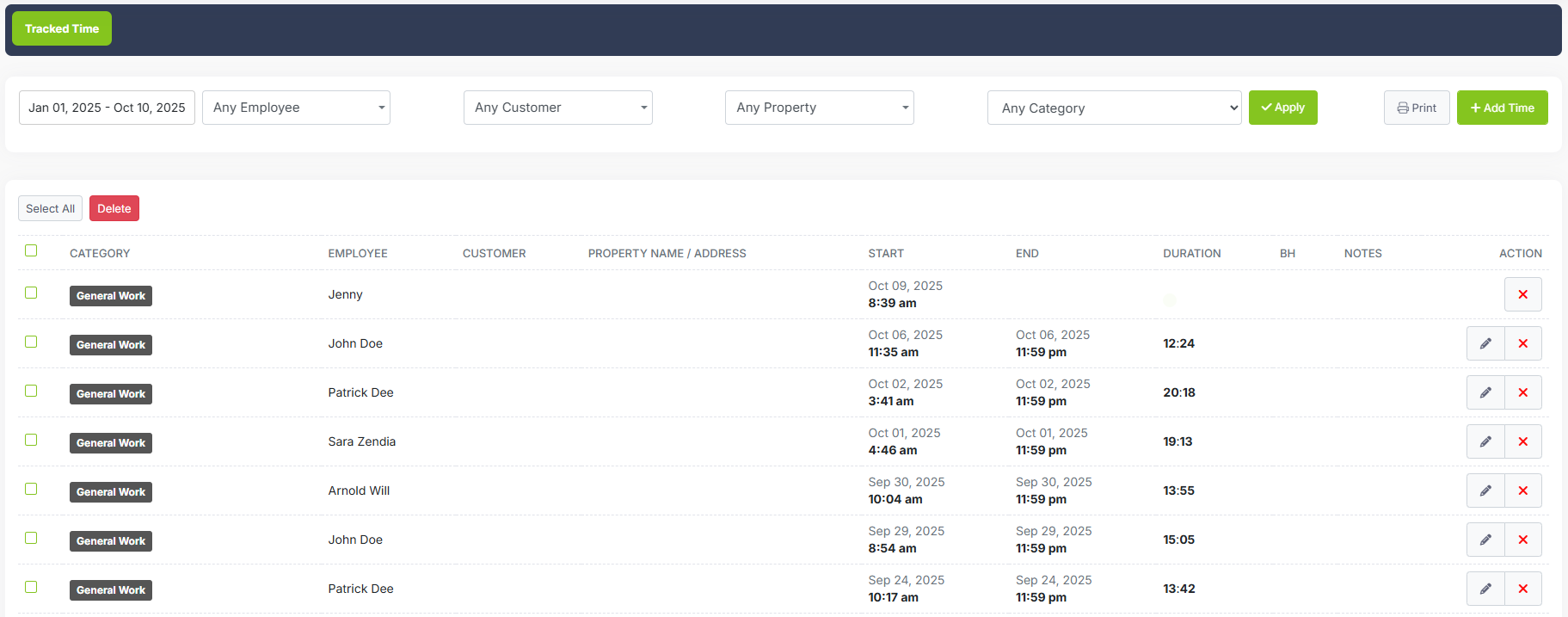
Your crew sees their earnings in real time
Employees can view their own earnings breakdown anytime—jobs completed, hours worked, bonuses earned, and running totals for the pay period. Transparency builds trust and gives your crew a reason to stay motivated throughout the week, not just at payday. When people can see their numbers climb in real time, they work like owners.
Start Free TrialAvailable on Grow and Plus plans
Pay for Performance, leaderboards, and P4P analytics are included in the Grow and Plus plans. No credit card required to start.
View Pricing"Since switching to performance pay, our crews finish routes faster and quality has gone up. They're making more money and we're getting more done. Win-win."
Why teams love Pay for Performance
Motivate your crew, improve productivity, and know exactly what performance pay is doing for your bottom line.
Boost Productivity
When crews earn more for getting more done, they work more efficiently. Routes finish faster, quality stays high, and your day wraps earlier.
Payroll Leaderboards
See top earners and most productive crew members at a glance. Leaderboards inside the admin payroll interface make it easy to recognize your best performers every pay period.
P4P vs Base Pay Analytics
Compare what you actually paid under P4P against straight hourly for every employee. Know whether your rates are working—and adjust them with data, not guesswork.
Always Compliant
Automatic minimum wage checking ensures you never underpay. Get alerts before issues become problems.
Higher of Both
Employees always receive the better of hourly or commission. Protected on slow days, rewarded on productive ones.
Flexible Pay Models
Six pay types let you customize compensation by employee, role, or crew. One size doesn't have to fit all.
Crew Splits
Configure how commission splits among crew members—full to each, equal split, or based on time worked.
Transparent Earnings
Employees see their own earnings in real time. Transparency builds trust and motivates the crew to hit their numbers every day—not just at payday.
Admin Payroll Interface
Review all employees' jobs, hours, and earnings side by side before exporting. One screen, full payroll picture, no manual assembly.
Works with features you already use
Pay for Performance connects seamlessly with your existing LawnPro workflow.
Time Tracking
Hours automatically feed into pay calculations. No double entry, no missed time.
Learn More →Invoicing
Job revenue flows into commission calculations automatically. Accurate pay every time.
Learn More →Reporting
Payroll reports show hourly vs. performance breakdowns. Export to your payroll processor.
Learn More →What is Pay for Performance in LawnPro?
Pay for Performance is a compensation feature in LawnPro that calculates both hourly wages and performance-based earnings for your field crew, automatically paying each employee the higher amount on every job. Beyond the calculation, it includes an admin payroll interface with leaderboards and a P4P vs base pay analytics panel—giving you full visibility into what performance pay is actually costing and earning you.
This model—sometimes called "production pay" or "commission-based pay"—is popular in lawn care and landscaping because it motivates crews to work efficiently while protecting them with a guaranteed minimum. When employees know they earn more by completing more work, they naturally become more productive without sacrificing quality.
LawnPro supports six pay models:
- Hourly only (traditional time-based pay)
- Hourly plus flat bonus per job
- Hourly plus percentage of job revenue
- Flat rate per job (no hourly component)
- Flat rate plus percentage of revenue
- Pure commission (percentage of revenue only)
The admin payroll interface lets owners and managers review the full pay period in one place—every employee's hours, jobs, base pay, and P4P earnings side by side—with leaderboards that surface top performers instantly. The P4P analytics panel then shows you the delta between what you paid under performance-based rates and what straight hourly would have cost, per employee and in total. Combined with automatic minimum wage compliance checking and real-time employee earnings dashboards, LawnPro gives you performance pay that's motivating, transparent, and measurable.
Frequently Asked Questions
For each pay period, LawnPro calculates what an employee would earn at their hourly rate AND what they'd earn based on performance or commission. The employee receives whichever amount is higher. This protects them on slow days while rewarding them on productive days.
The admin payroll interface gives you a centralized view of the entire pay period. See every employee's jobs, hours, base pay, and P4P earnings side by side. Leaderboards highlight top earners and most productive crew members so you can spot your best performers immediately. Review everything and export when you're ready—no manual assembly.
The analytics panel compares what you actually paid under performance-based pay against what you would have paid at straight hourly rates—per employee and in total. Use it to measure whether your P4P rates are generating savings or costing more, and adjust commission percentages or bonus caps based on real numbers rather than gut feel.
Set your state's minimum wage in LawnPro settings. The system automatically checks that every employee's effective hourly rate (total pay ÷ hours worked) meets or exceeds minimum wage. You'll see alerts for any potential violations before running payroll.
You choose how to divide commissions among crew members: full amount to each person, split equally, or proportional to hours worked. Configure this at the company level or override for specific jobs.
Yes. Each employee can have their own pay type, hourly rate, commission percentage, and bonus caps. Senior techs can earn more than new hires, or you can set rates by role or crew.
You can configure how callbacks affect pay—whether to deduct from commission, count as unpaid time, or handle them another way. This helps maintain quality standards while keeping the pay system fair.
Pay for Performance, the admin payroll interface with leaderboards, and P4P analytics are available on the Grow and Plus plans. Visit the pricing page to compare plans.
Resources
Help Articles
Step-by-step guides for setting up pay types, compliance, and running payroll.
Read Now →Video Tutorials
Watch how to configure P4P, run the admin payroll interface, and read analytics.
Watch Videos →