Help Article
Adding a New Customer
Step-by-step guide to adding customers, setting up profiles, and configuring settings.
Read Now →Stay organized and in control with LawnPro's CRM Dashboard. Track leads, manage jobs, and monitor payments—all from one clean, easy-to-use view that keeps your business moving forward.
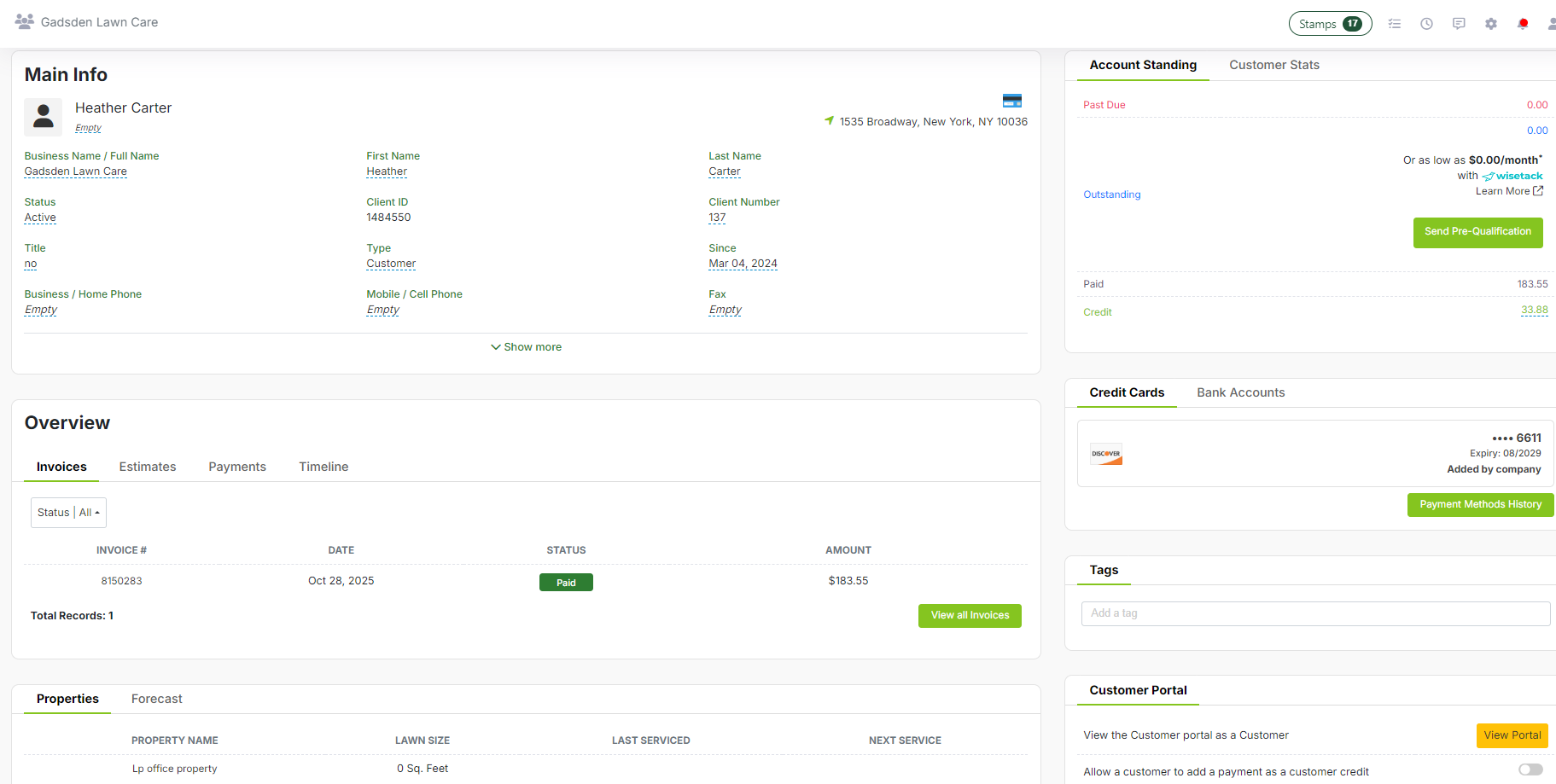
View contact details, service history, invoices, estimates, notes, and payments—all in one simple profile. No more hunting through spreadsheets or sticky notes. Every interaction, every detail, right where you need it when a customer calls.
Start Free Trial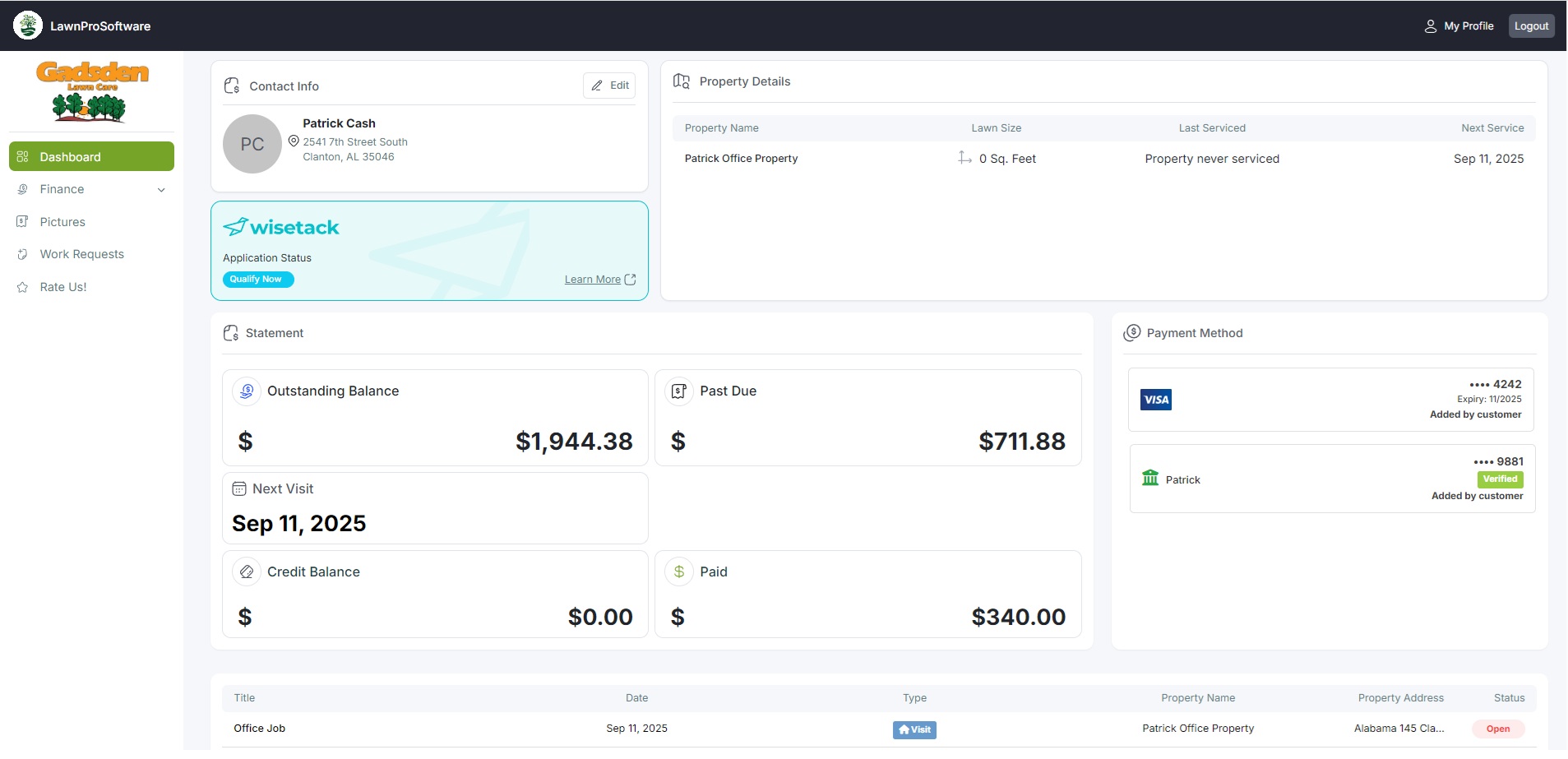
Let customers request work, approve quotes, view and pay invoices, and see documents & payments—anytime, without calling. The Client Portal puts your customers in control while keeping you informed of every action.
Start Free Trial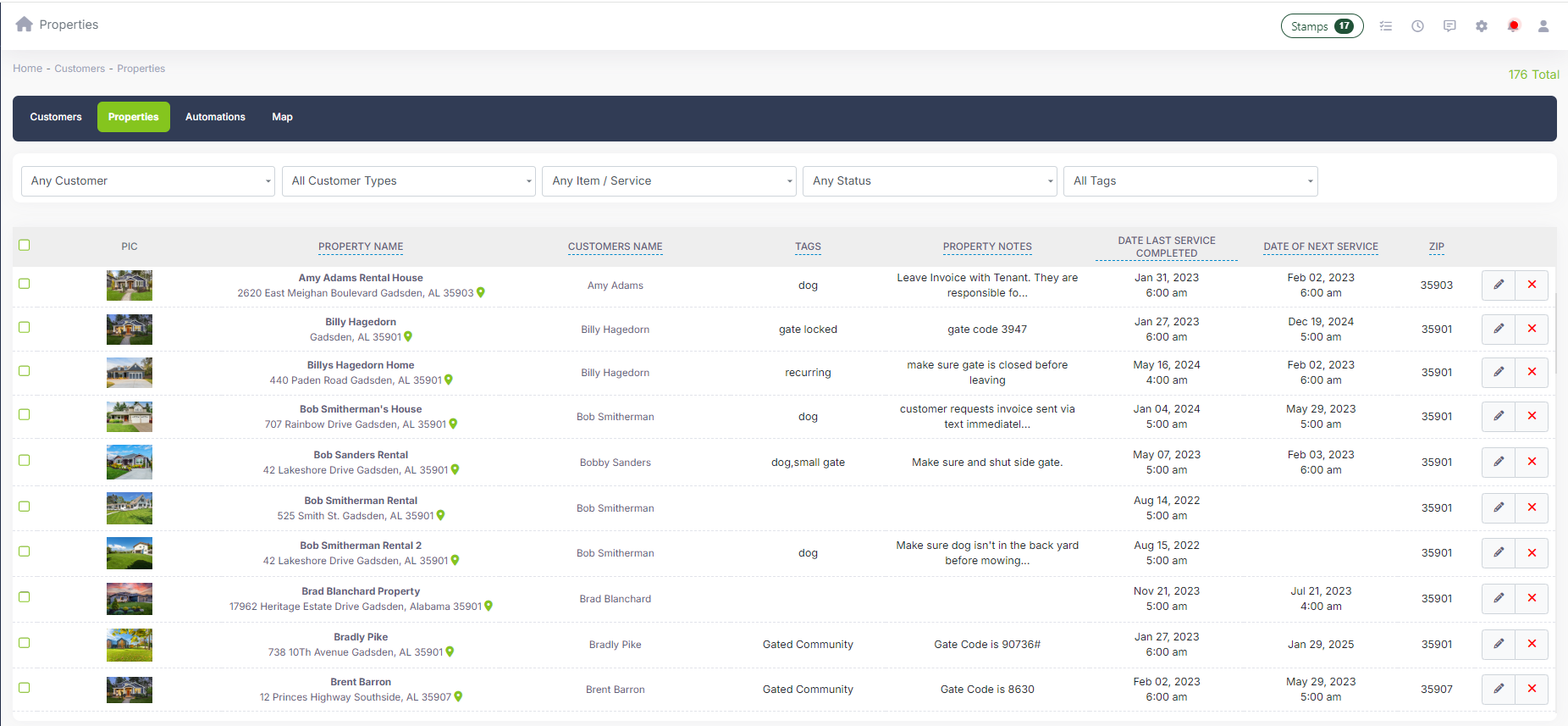
Track multiple service locations per customer—link jobs, invoices, and history to the right property. Perfect for property managers, commercial accounts, or residential customers with multiple addresses. Never confuse service locations again.
Start Free Trial
Every visit, every invoice, every note—tracked and searchable. Know exactly what was done, when, and by whom. When customers call with questions, you have instant answers. When planning future work, you have context.
Start Free TrialCustomer CRM is included in all LawnPro plans. No credit card required to start.
View Pricing"Before LawnPro, we had customer info scattered across spreadsheets, emails, and sticky notes. Now everything's in one place. When a customer calls, I can pull up their entire history in seconds. It's changed how we run the business."
Everything you need to manage customer relationships in one place.
Search by name, address, phone, or email. Filter by status, balance, or last service date. No more digging through files.
Add notes to customers, properties, or jobs. Flag important details so your whole team knows what to watch for.
Organize customers your way with custom tags—VIP, commercial, seasonal, referral source, or anything else you track.
Full CRM on your phone. Look up customers, add notes, or check history while on site or on the road.
Know who owes what instantly. Outstanding invoices, credits, and payment history—all visible on the profile.
Migrating from spreadsheets or another system? Import your customer list in minutes. We'll help you get set up.
Yes! You can import customers from a CSV file. Map your columns to LawnPro fields and your customers will be ready in minutes. Our support team can help with complex migrations.
There's no limit on the number of customers you can add to LawnPro. Whether you have 50 or 5,000 customers, the system handles it smoothly.
Yes. Each customer can have unlimited properties. Jobs, invoices, and history are linked to the specific property. Great for commercial clients or property managers.
Yes. Customer profiles sync across all users in real-time. Notes added in the office appear instantly for crews in the field. You can control what each team member can view or edit with user permissions.
Yes, through the Client Portal. Customers can update contact details, add notes about access or preferences, and more. You control what they can change.
Guides and support to help you get the most from Customer CRM.
Step-by-step guide to adding customers, setting up profiles, and configuring settings.
Read Now →How to import your existing customer list from a CSV file or another system.
Read Now →Learn how to add and manage multiple properties for each customer.
Read Now →