New Year Savings: 40% off for your first 3 months — ends soon, don't miss out!

Claim 40% Off

New Year Savings

Claim 40% Off
Invoicing

Create invoices in seconds, get paid faster

Build professional invoices from completed jobs or from scratch. Send by email, text, or mail. Accept credit cards and ACH online so customers can pay instantly.

LawnPro Invoicing
40,000+ service businesses trust LawnPro 4.8 / 5 based on 7,531 reviews

How does invoicing work in LawnPro?

Multiple ways to create invoices—pick what works best for your workflow.

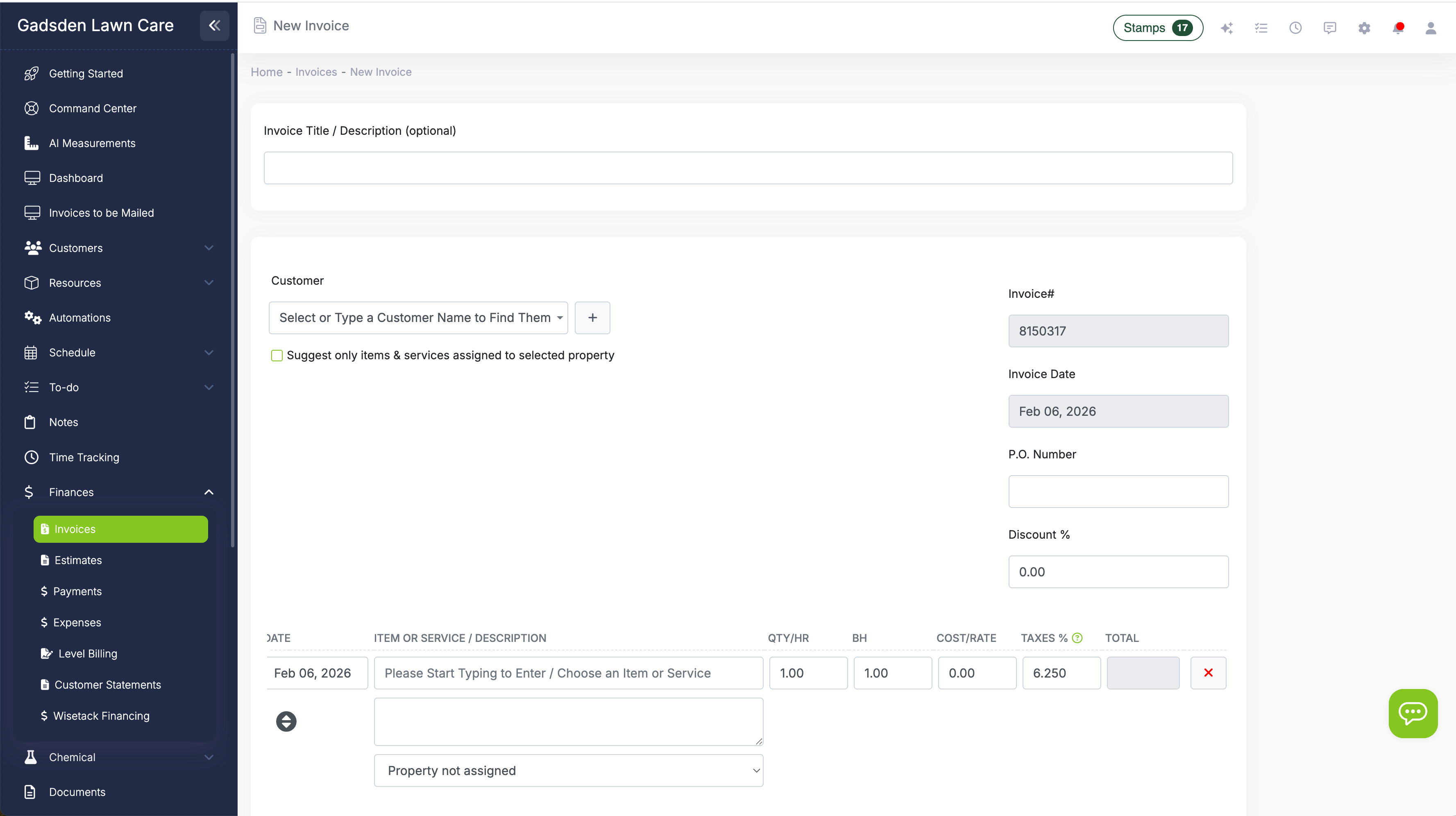
Create invoices from the Finances tab

Go to Finances → Invoices → New Invoice. Select a customer, add line items for your services, set the date, add discounts or PO numbers, and customize terms and notes. Convert approved estimates to invoices with one click.

Create New Invoice

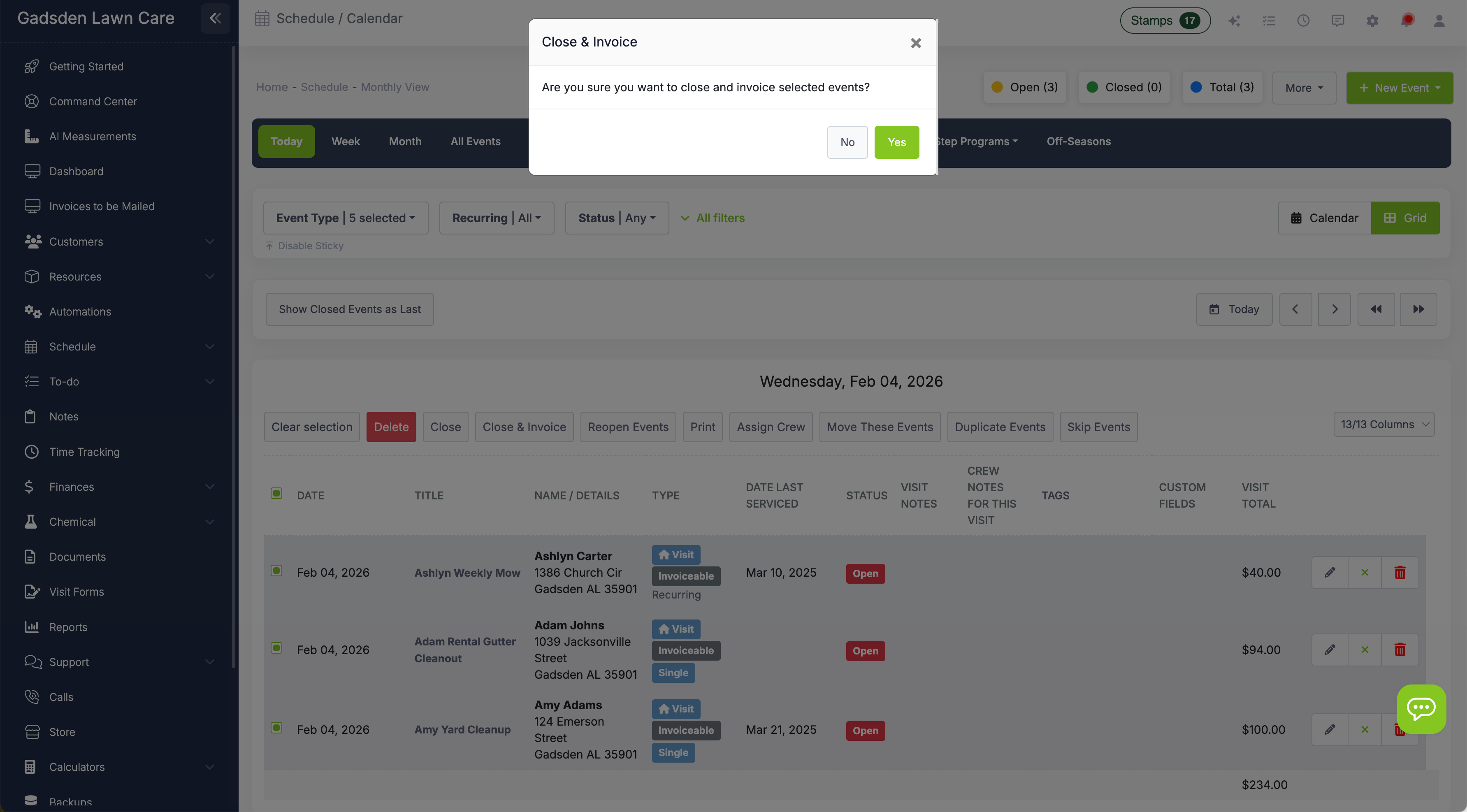
Invoice directly from your schedule

Close and invoice visits right from your calendar. Use Grid View to select multiple visits and batch invoice them, or click a single visit and hit "Complete & Invoice" to create an invoice instantly.

Invoice from Schedule

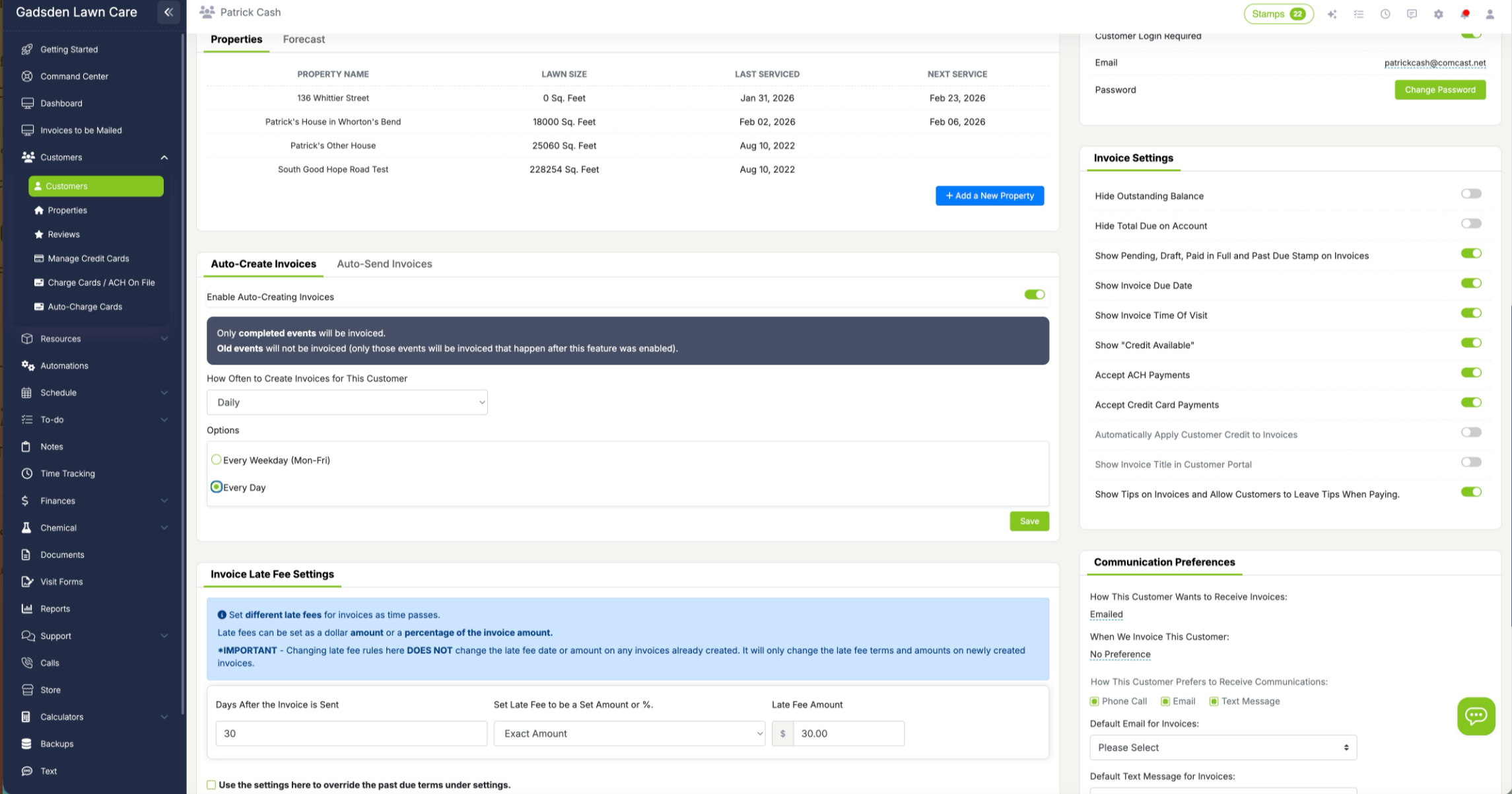
Set up auto-invoicing per customer

Don't want to manually create invoices? Enable Auto-Create and Auto-Send for each customer. Choose daily, weekly, or monthly—LawnPro automatically creates invoices from completed visits and sends them on your schedule.

Auto-Invoicing Settings

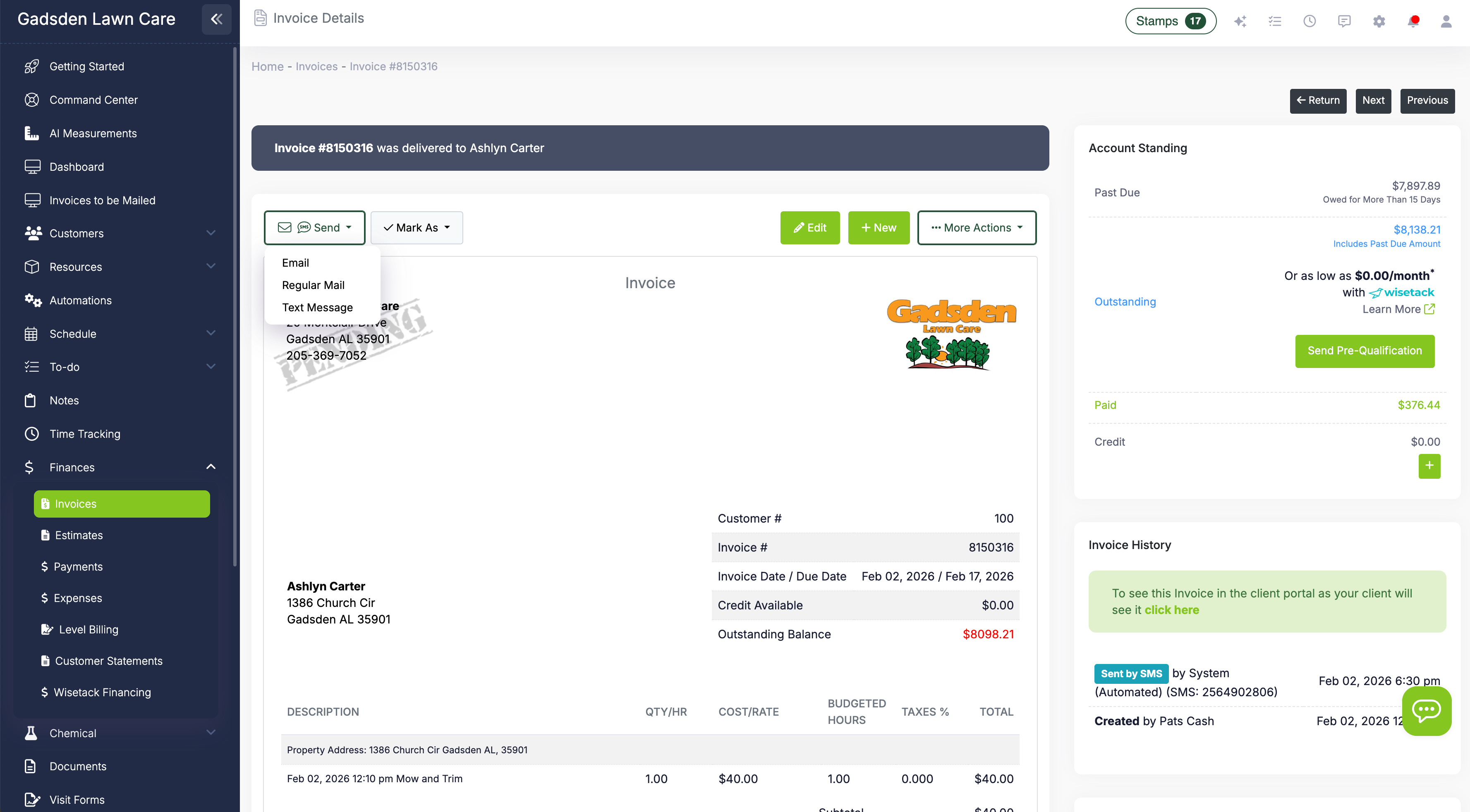
Send by email, text, or mail

Send invoices by email with a PDF attachment, by text message with a payment link, or even by USPS mail. Customers click the link to view their invoice in the client portal and pay online with credit card or ACH.

Send Invoices

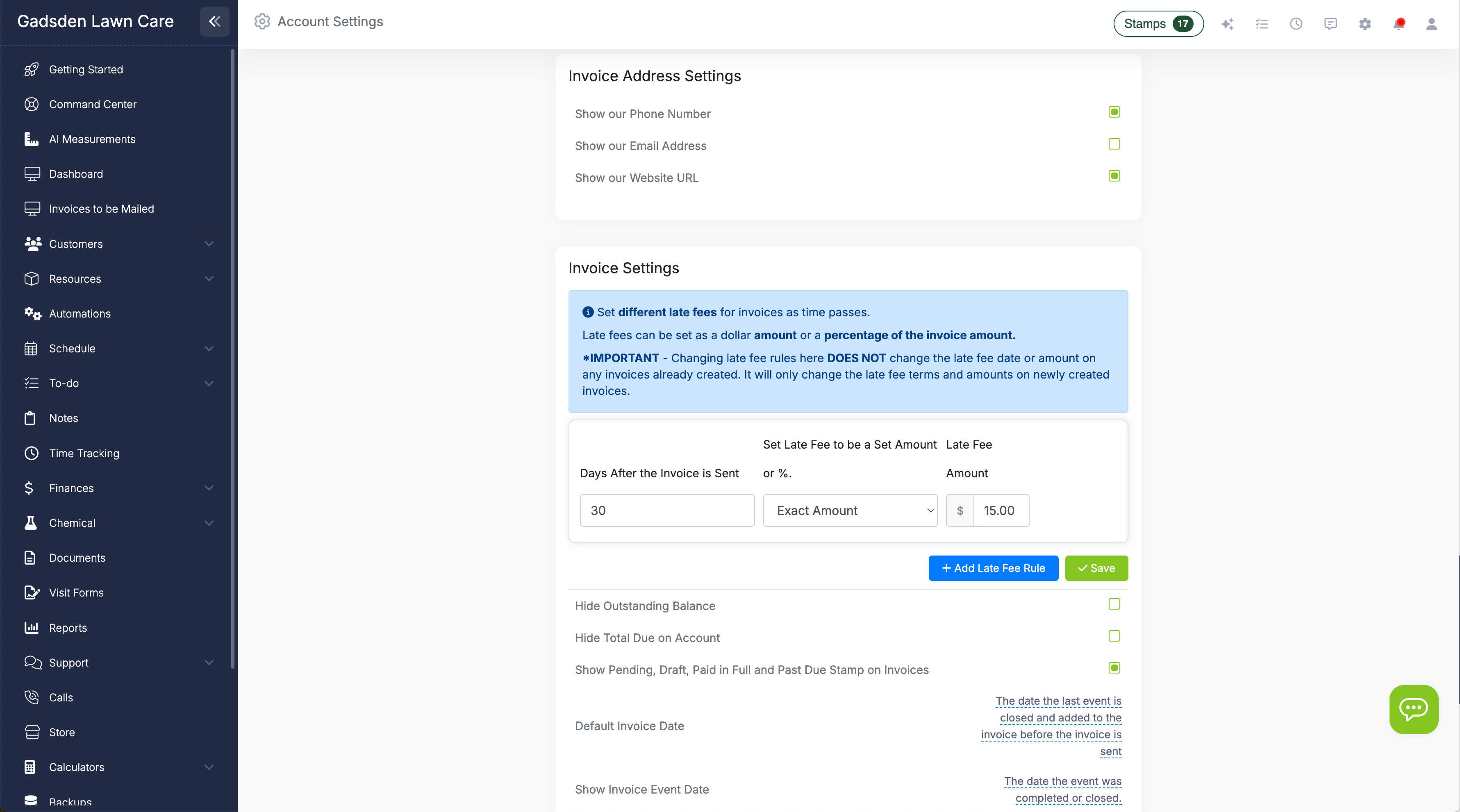
Automatic late fees

Set late fee rules in your settings—choose how many days until an invoice is considered late and what the fee is (percentage or flat amount). Add multiple rules for escalating fees. LawnPro applies them automatically.

Late Fee Settings

Pick the best plan for your business

Invoicing is included in all LawnPro plans.

View Pricing

Why teams love LawnPro invoicing

Invoice in Seconds

Create invoices from completed visits with one click—no re-entering data.

Auto-Create & Auto-Send

Set it and forget it—invoices create and send automatically on your schedule.

Online Payments

Accept credit cards and ACH. Customers pay from the invoice link—no phone calls.

Email, Text, or Mail

Send invoices however your customers prefer—including USPS postal mail.

Professional Templates

Branded invoices with your logo, custom terms, and notes for each customer.

Automatic Late Fees

Set rules for late fees—LawnPro adds them automatically so you don't have to chase.

Ready to get paid faster?

Join thousands of field service pros who use LawnPro to streamline invoicing.

Start Free Trial

Learn More

Creating an Invoice

Step-by-step guide to creating invoices in LawnPro.

Read Article
Sending Invoices

How to send invoices by email, text, or postal mail.

Read Article
Auto-Invoicing Setup

How to set up automatic invoice creation and sending.

Read Article

Take a look at our other features

Explore connected tools that work seamlessly with invoicing.

Payment Options

Accept credit cards, ACH, and financing—get paid faster.

Auto-Charge on File

Charge saved cards automatically when jobs complete or invoices are due.

QuickBooks Sync

Automatically sync invoices and payments to QuickBooks Online.

Estimates

Build polished quotes and convert approved estimates to invoices.

Scheduling

Close visits and create invoices directly from your calendar.

Reporting

Track revenue, outstanding invoices, and payment trends.