Help Article
Generate a Profit and Loss Report
See profit and loss for any date range—billed or collected.
Read Now →Dashboards and reports for revenue, jobs, customers, and sales tax—filter by date, team, or service and export what you need in seconds. Make decisions based on data, not guesswork.
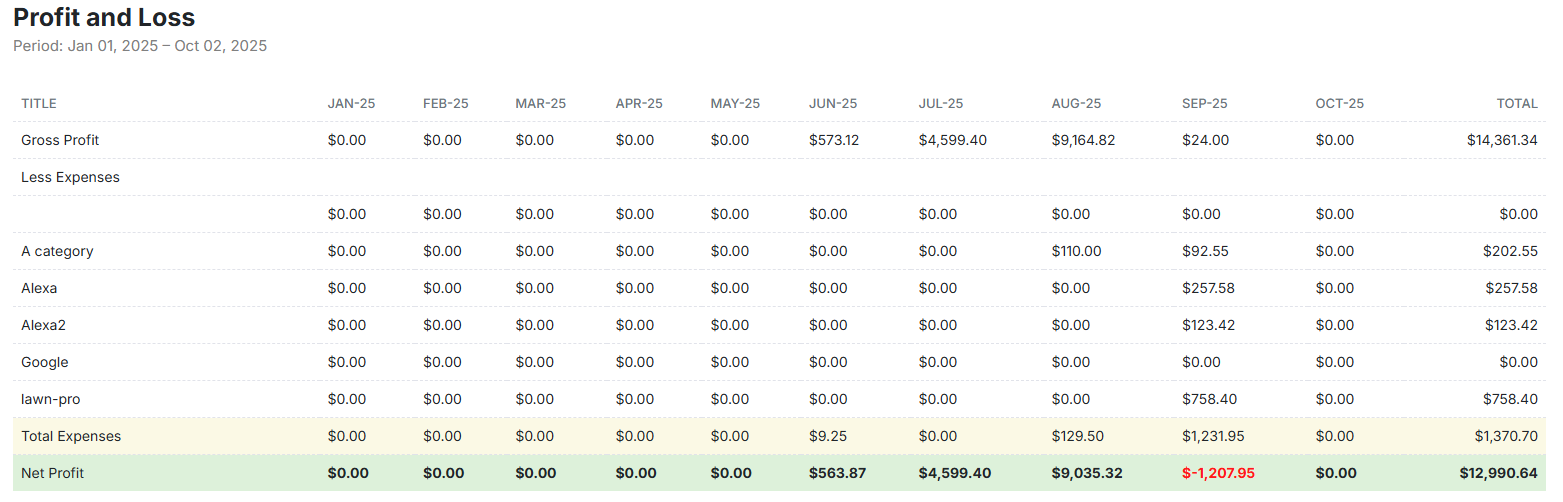
See expenses, A/R aging, profit & loss, and payment breakdowns in one place—filter and export fast. Know exactly where your money is coming from, what's outstanding, and where you stand financially at any moment.
Start Free Trial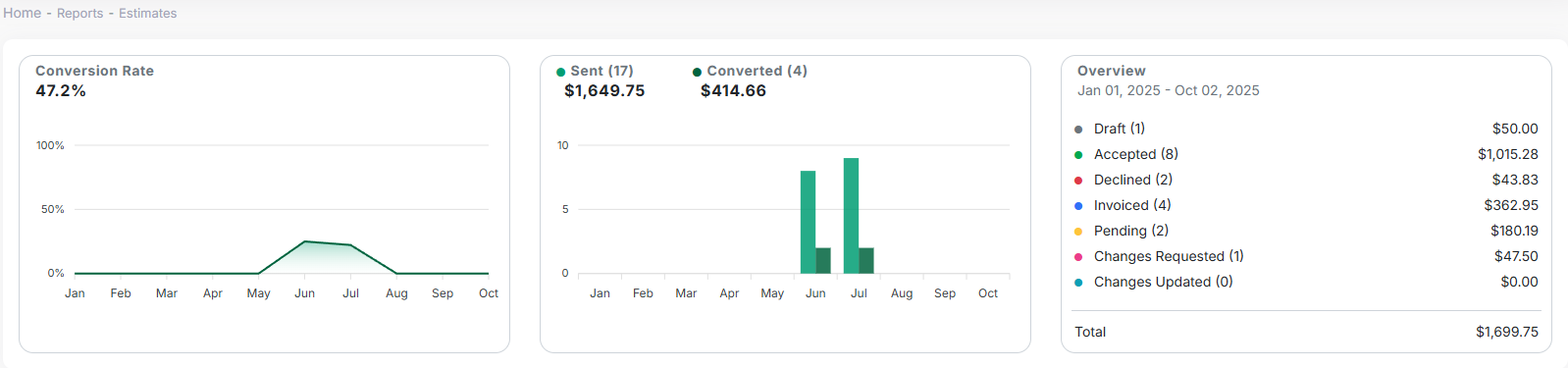
Monitor estimate volume, time to close, and win rate so you can follow up and convert more work. See which services sell best, which salespeople close the most, and where quotes are getting stuck in the pipeline.
Start Free Trial
Break down revenue by customer, property, crew, or region—forecast growth and compare periods. See your top customers, most profitable services, and how different crews or routes are performing over time.
Start Free Trial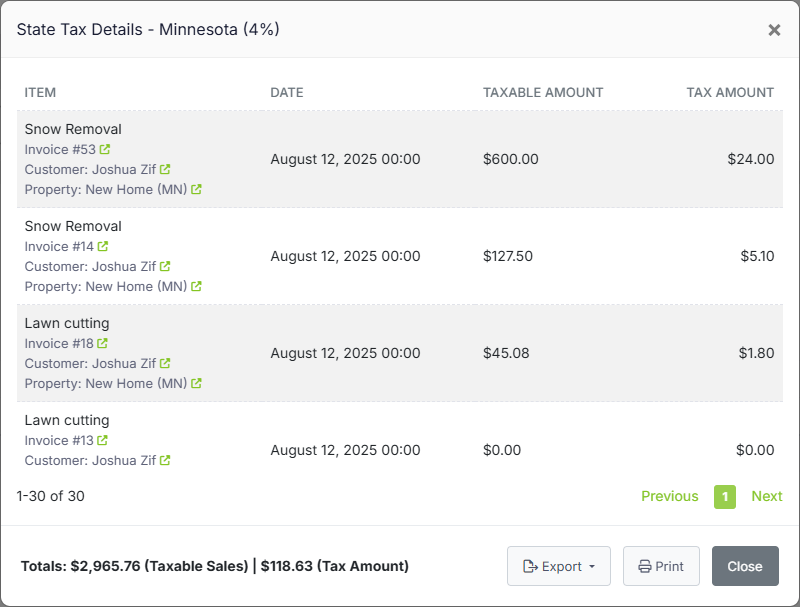
Get clean totals by city, county, and state—organized and ready to file or share with your accountant. No more scrambling at tax time. Run the report, export, and you're done.
Start Free TrialReporting is included in all LawnPro plans. No credit card required to start.
View Pricing"I used to dread tax season. Now I run the sales tax report, export it, and send it to my accountant in about 5 minutes. The revenue by crew report also helped me realize one of my routes was way less profitable than I thought."
Real insights that help you make better business decisions.
Slice data by date range, crew, customer, service type, city, county—get exactly the view you need.
Download any report as CSV or PDF. Share with your accountant, partners, or use in your own spreadsheets.
Reports update as you work. No waiting for nightly syncs—see today's numbers right now.
Compare periods to see trends. Know if you're growing month-over-month and year-over-year.
See who owes what and for how long. Focus collection efforts on the accounts that matter most.
See revenue and jobs by crew. Identify your top performers and routes that need attention.
LawnPro includes reports for Profit & Loss, Revenue by Customer/Crew/City/County, A/R Aging, Sales Tax, Expenses, Invoiced Items/Services, Revenue Forecast, and more. All reports can be filtered and exported.
Yes. Every report can be exported as CSV or PDF. The Sales Tax report is especially popular with accountants—it breaks down tax collected by jurisdiction so filing is easy.
Your data goes back to when you started using LawnPro. There's no limit on historical data. Compare this year to last year, or look at trends over multiple seasons.
Yes. Revenue by Crew shows total revenue by crew for any time frame. You can also filter most reports by crew to see their specific performance.
LawnPro syncs invoices and payments with QuickBooks Online. Your QuickBooks reports will reflect the data from LawnPro. You can also run reports in both systems.
Guides and support to help you get the most from Reporting.
See profit and loss for any date range—billed or collected.
Read Now →Get sales tax totals by city, county, and state for easy filing.
Read Now →See total revenue by crew for any time frame.
Read Now →