

Here are just a few of the many features that can help you with your lawn care and landscaping business:

Know all of your current numbers instantly. See at a glance how much you'll make in the next 7 days, how many new customers you've added and much, much more.

Put your business's logo on invoices and estimates. Add a custom message to invoices & estimates such as payment terms or a quick note.
Customers can view and pay invoices online. LawnPro keeps up with when you were at a property and what you did there and instantly puts it on an invoice for you!
Turn estimates into invoices with one click!
Schedule a visit automatically when an estimate is accepted.
Send automatic follow-up texts or emails if a customer hasn't responded about an estimate.

Optional line items on estimates provide your clients with extra products and services they can choose to add to their estimates.
These could be items that would complement the items that you already have on the estimate, or maybe you'd like to offer your client a selection of premium items.
With optional line items, your clients can check off which extra products or services they'd like, then approve the quote, including those items they added.

Save and charge customer credit cards all on one screen!
Accept online payments for invoices. Your customers can pay deposits for work to be done and more.
Save customer's credit card info to their profile. This allows you to charge their card each month or as soon as work is completed.

Easily send your customers their invoices each month automatically!
Choose how they want to receive invoices (by email, regular mail, text message, etc.), then choose what day of the month to send. That's all there is to it!
LawnPro will do the rest automatically for you!
Measure any property in seconds without having to visit the property!
Save measurements of the property, mulch beds, fence-line, and more.
Save these measurements / prices to the property profile with one click!

With the ability to attach images, and any documents, you can add pictures to an invoice for clients that require proof of labor. This has been an increasing need with bank-owned properties. You can also attach coupons, gift cards, or any other images / documents you choose to upload....

Add a due date to invoices. If the invoice isn't paid by that date, a late fee will be added automatically, and a reminder invoice sent.
Click here to learn more about due dates and late fees on invoices...

Customers can view and pay invoices online, view and approve estimates, request a service at their property and more. They login by simply clicking a link on your website or by using a link that is included in all invoices you email or texts them.
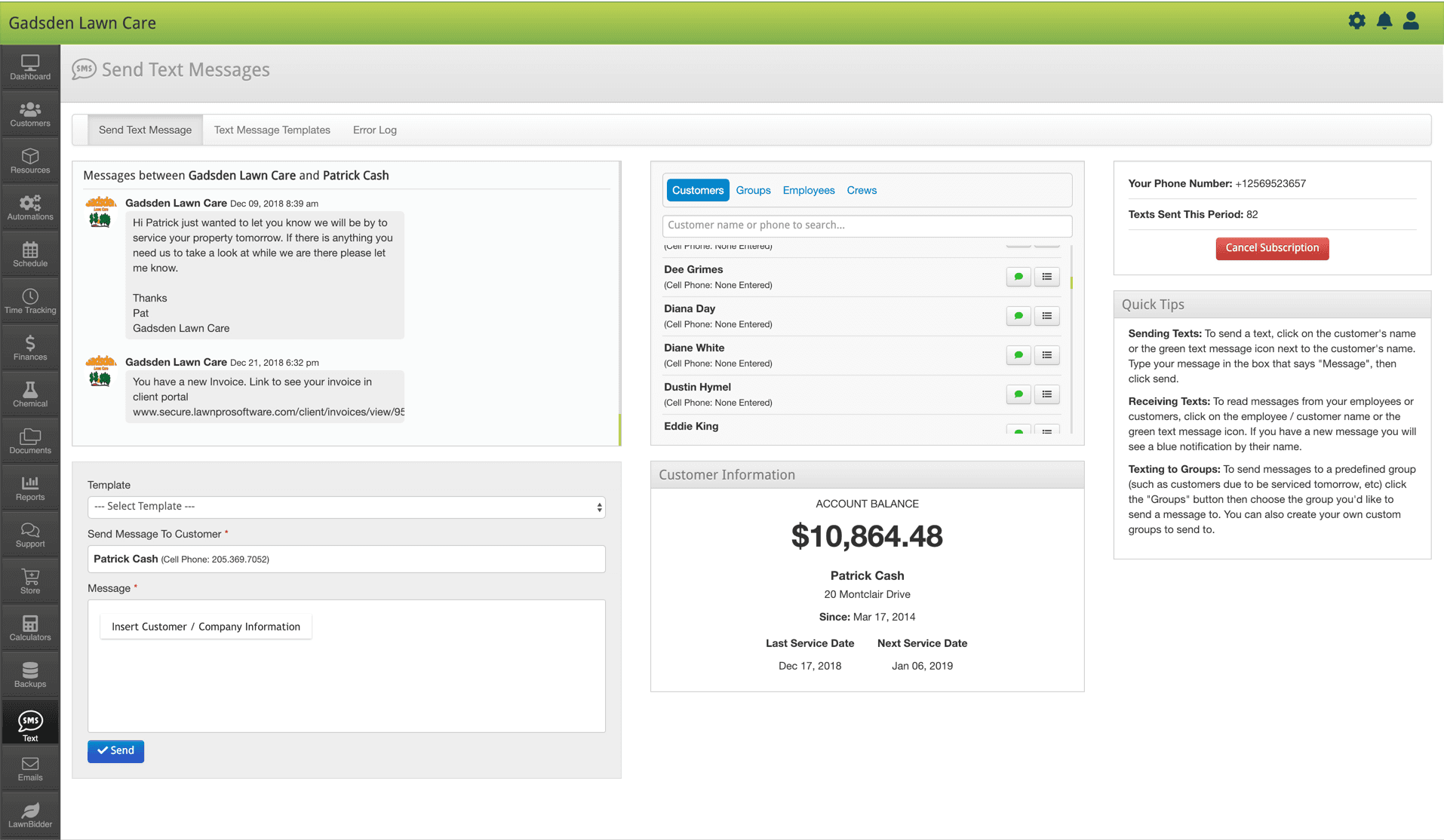
Text your customers and let them know you'll be there to service their property today, all with one click!
Create custom lists of customers to text based on the days you will be there, services you perform, and more!
Text an employee automatically when a new stop is added to their schedule and much, much more.
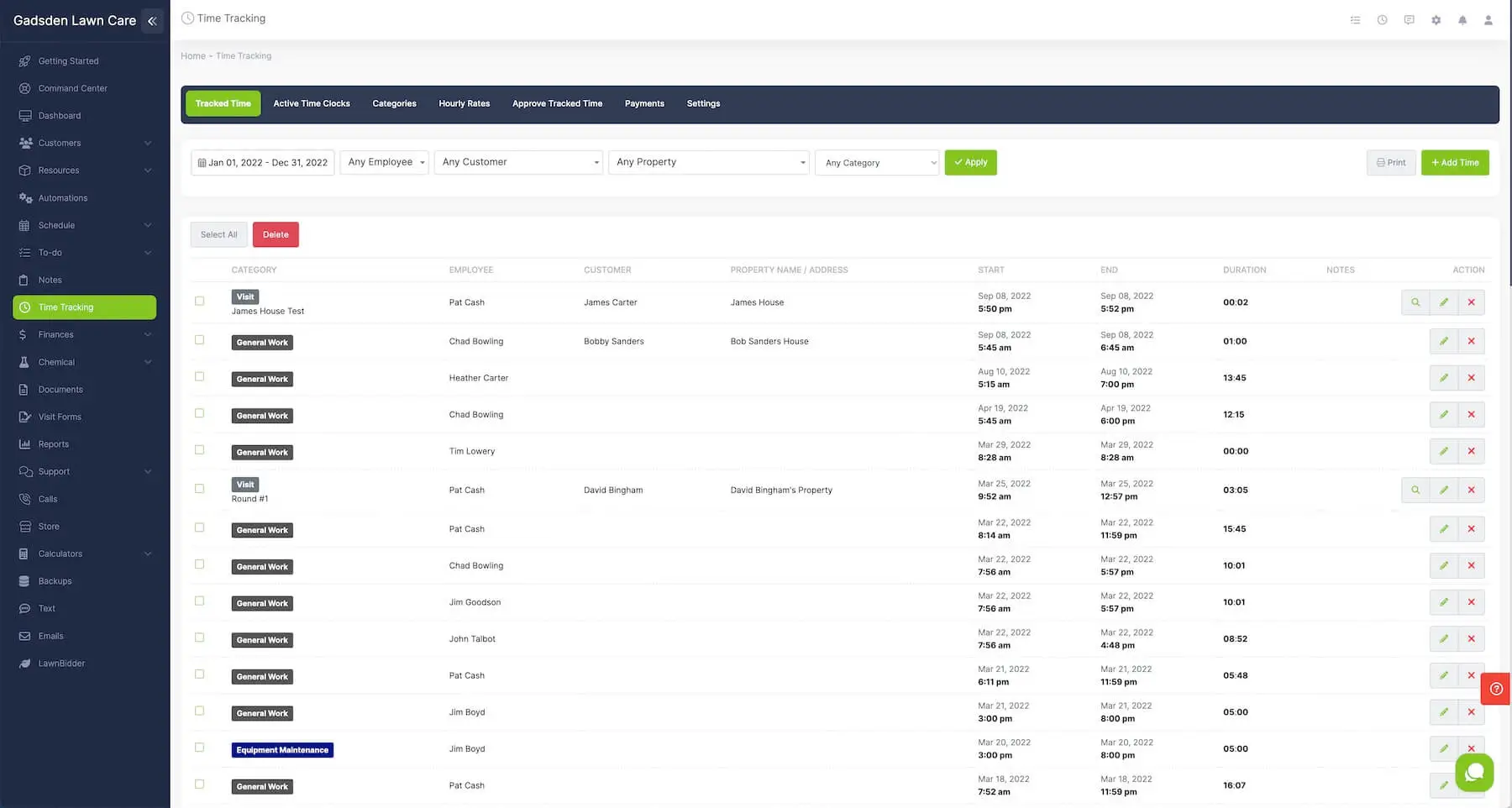
Require employees to clock in before they can see their schedule for the day.
Track time worked, time driving, time for breaks, and more.
Start and stop a job timer to track time worked on jobs vs. time worked for the day.
Click here to learn more about time tracking in LawnPro...
Your schedule and routes update in real-time.
Click any event to get turn by turn directions or click to call the customer!
Get the mileage, gas costs you or any crew drives each day too!
Simplify draw around a group of visits to select them, or select them from the daily visit list, then click to assign or re-assign a crew to those visits.
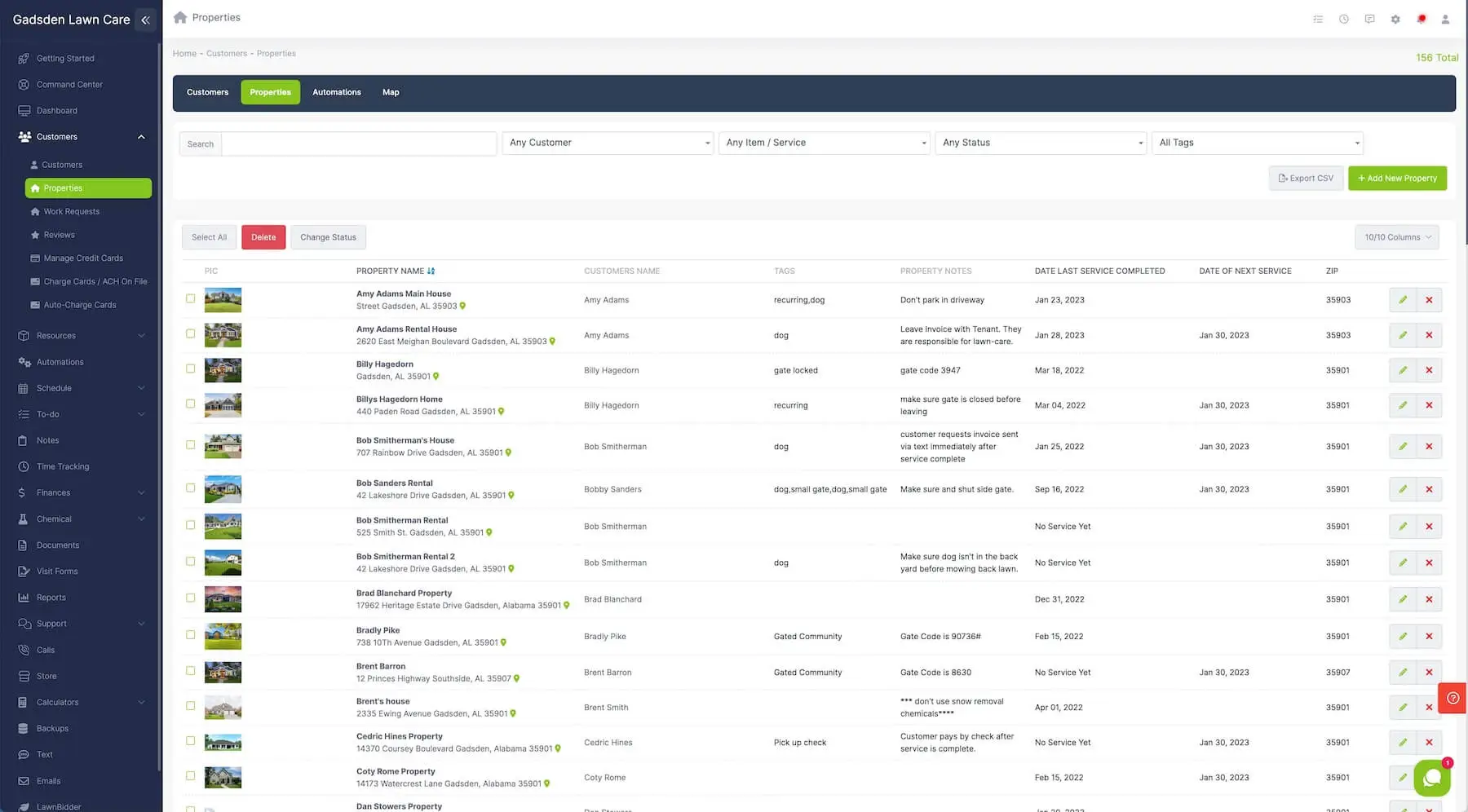
Have as many properties per owner as you’d like. LawnPro keeps up with each property separately!
Set a default service or service (with it's own price) for each property.
Choose to invoice properties separately or all on one invoice.

Automatically send your info from LawnPro and get info from QuickBooks online in real-time.

Email your customers their invoices, estimates, documents and more.
Create email templates and automatically fills in your customer's information to make each email personalized to them!

With automations, you can automatically do things such as text your customers and let them know you'll be there to service their property today, remind customers of a past due invoice, ask customers to add their credit card on file, and much more!
This is all done automatically for you!

Office staff, employees, or a crew in the field; Everyone needs access to the lawn care software your company uses.
With LawnPro you can easily create user accounts, each with its own login and password.
If you want to create an account just for your accountant (but don’t want them to see anything except reports) you can do that!
Create an account for a crew member so they can only see their mowing route? You can do that too!

When it comes to keeping up with your lawn care service route and schedule, nothing is faster or easier. Schedule a single visit to a customer's property, or create a set repeating of visits.
View and print your schedule by the day, week or month. Sort the schedule by the crew, employee, customer, and more.
Drag and drop visits to another day or select and reschedule an entire day or weeks worth of events with just a couple of clicks.
Print a daily list for each crew and much more...
Need to change your calendar around or delay visits because of the weather?
That's easy. Just drag a customer visit to the day you to service them!

Add a customer or group of customers to the schedule today with one click.
In addition to this, you can save a group of customers and add this group to your schedule with one click as well! This is great for snow plowing and other things when your schedule may change from day to day.
Text an employee automatically when a new stop is added to their schedule and much, much more.
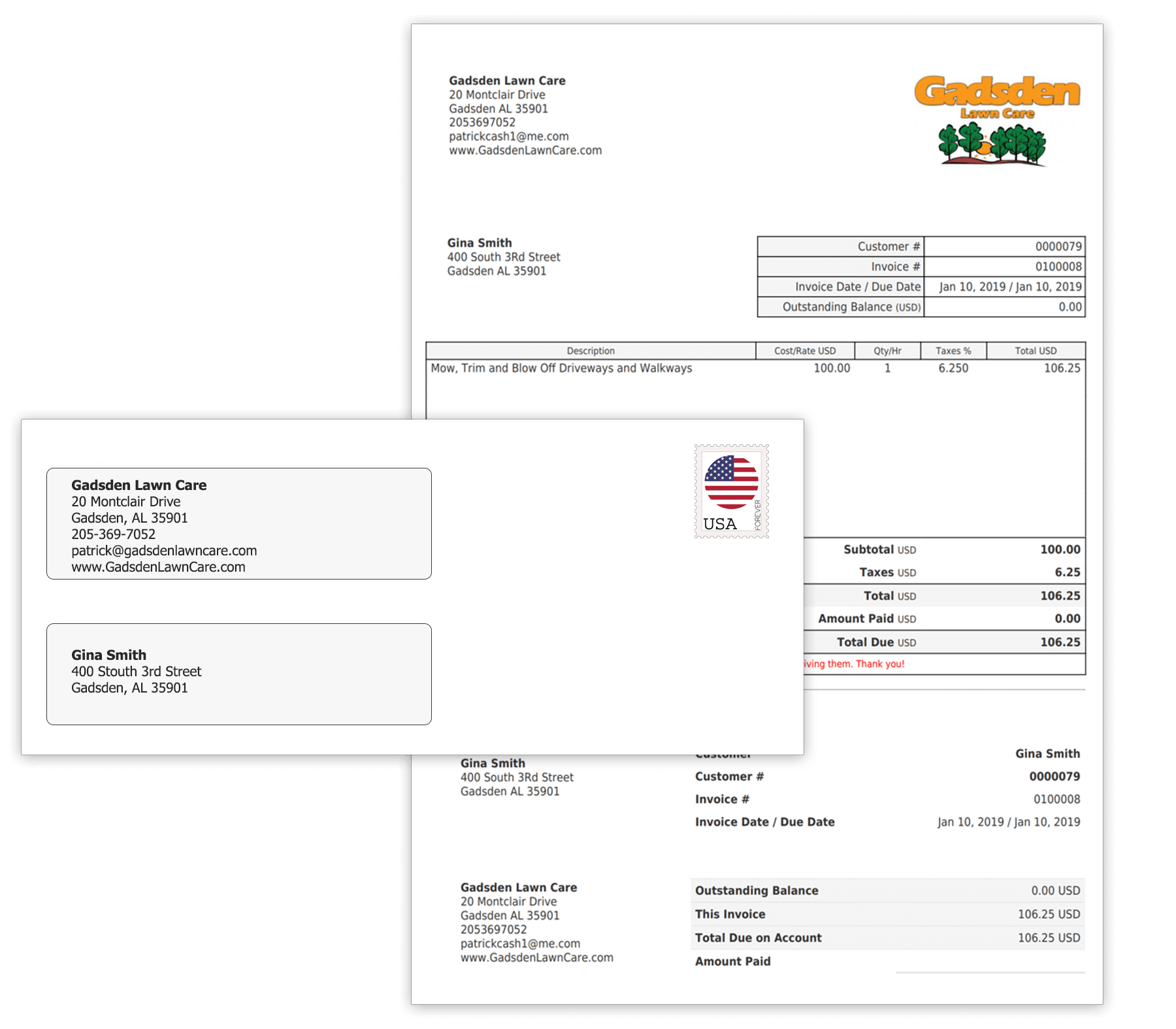
Never worry about printing or mailing another invoice. We can print and mail all of your invoices for you! We include a payment slip, and return envelope.
We know you'd rather be working than printing, folding and mailing invoices. Let us do the work for you!
*We offer this as service for you. You don't have to use it if you don't want to.
You can always email, or print and mail your own invoices!
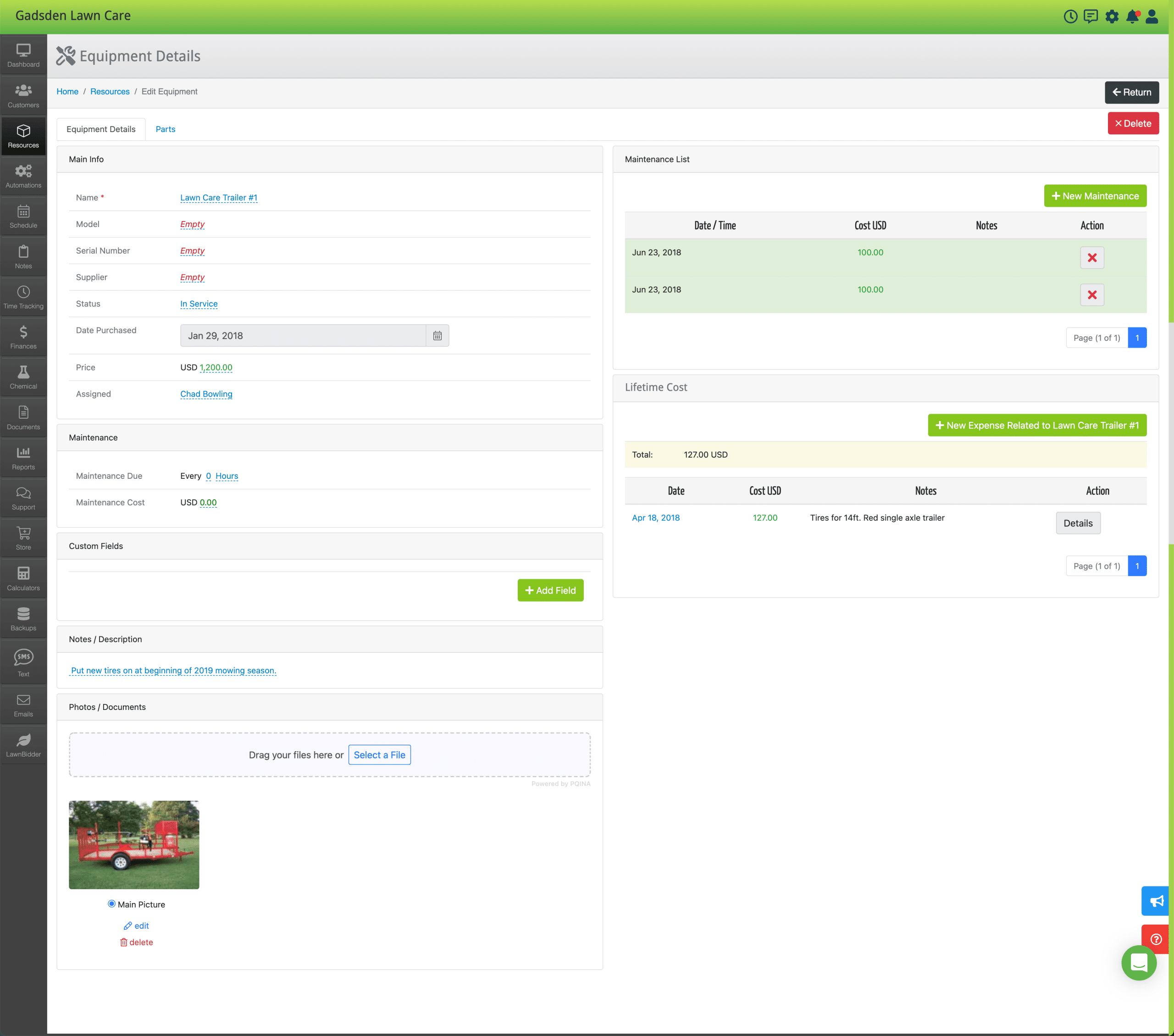
Never worry about remembering when to service equipment. View all info about your equipment in one place!
See the entire history of when it's serviced, set reminders of when to service. Track expenses and parts related to each piece of equipment and much, much more.
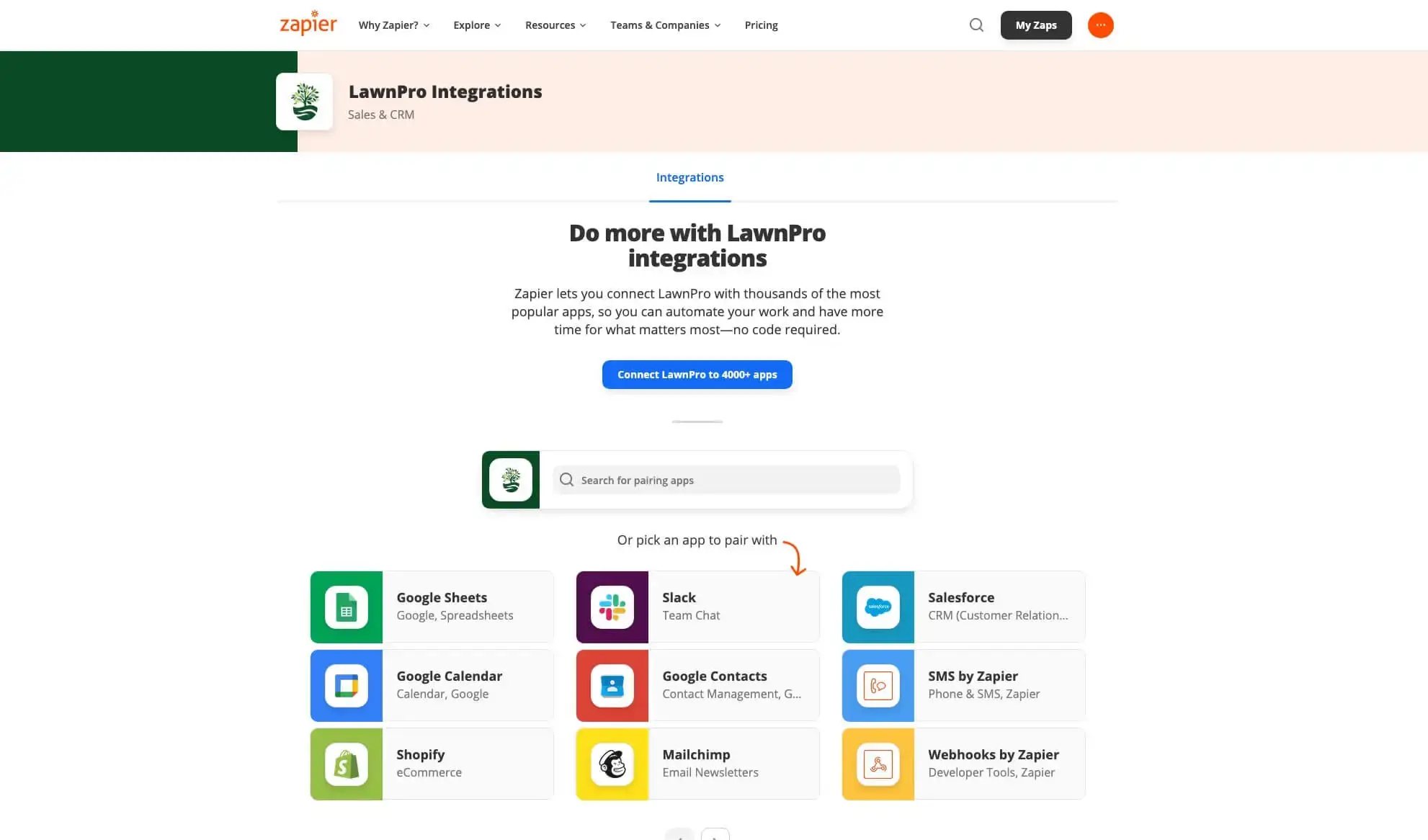
Zapier is an online automation tool that connects LawnPro to your other apps and services. You can connect two or more apps to automate repetitive tasks without coding or relying on developers to build the integration!
With our Zapier integration, it's never been easier to send or receive information from other software programs.
Using Zapier with LawnPro unlocks almost unlimited potential to do things such as
automatically adding contacts to LawnPro, adding new potential customers, updating your google calendar, updating invoices and TONS more all based on input from other software programs.

*All financing is subject to credit approval. Your terms may vary. Payment options through Wisetack are provided by our lending partners. For example, a $1,000 purchase could cost $45.18 a month for 24 months, based on a 7.9% APR, or $333.33 a month for 3 months, based on a 0% APR. Offers range from 0-35.9% APR based on creditworthiness. No other financing charges or participation fees. See additional terms at http://wisetack.com/faqs.
As businesses grow, offering payment flexibility becomes increasingly necessary and attractive to customers. On average, 75% of homeowners check to see if service businesses offer financing, and for many customers, it may be the deciding factor.
That’s why we partnered with Wisetack, a consumer financing company that allows your business to offer customers the option to pay over time. When you offer financing, you can expect to generate more revenue and attract new customers. Wisetack financing is available on amounts from $500-$25,000 with a quick and simple application and approval process. Now your customers will have a fast and painless way to pay for your projects. They can break up the cost of a job into easy monthly payments, while your business gets paid in full as soon as the job is done.
Click here to learn more about Wisetack!

Track all of your expenses and even set up recurring expenses all in one place.
Quickly view and manage expenses by date range, by category, by equipment, by vendor, and more!
At the end of the year, print an expense report with one click!
"She's going to email everyone in the homeowner's association and recommend me."
"Thanks for the info. It certainly was a profitable day today. I got my very first customer. But wait, there's more... She is a realtor, and president of her homeowners association. (which just happens to be one of the wealthiest neighborhoods in the Jackson area). She loved me! She is going to email everyone in the association and recommend me. To top it off, using LawnPro, I was able to produce a professional looking invoice and a blank contract, which she promptly signed and handed me a check for the entire duration of the year contract up front!!!!!!
Yes, it has truly been a great day, and I owe it to you and LawnPro."
Jason in Jackson, MS
"...best of all, you can add your own business logo"
"After spending countless hours of research via Internet and phone on choosing the right lawn care software, I finally made the decision to go with LawnPro- and will never look back. This program has everything you need in dealing with clients- contracts, invoices, estimates, summary reports, pre-written letters, you name it, the program has it. It is easy to use and has definitely been a great asset to my company for the past year. The program provides professional letters, contracts, and invoices that allows my company to stand out- whether it be in the bidding process or our overall presentation to the public. And best of all, you can add your own business logo to all public materials. I have recommended this program to many and will continue to recommend it!"
Shawn Robinson
Top Choice Lawn Care, LLC
Nashville, TN
"...used the letter welcoming a family to a neighborhood, which got me two new customers."
The software has been very helpful in sending out proposals as well as thank you notes. I even used the letter welcoming a family to a neighborhood, which got me two new customers. All my customers like the invoices I take with me to the job, or send after the work is done. I'm now getting several of my clients used to the monthly billing, which has made billing them much easier on me as well as them.
Add to that the features that let me keep up with my equipment as well as how much I am making, is exceptionally nice, and my tax person loves it. It makes their job much easier. It really saves time (which is money) over the long run. Thanks for taking the time to put together a work tool that really works. I am looking forward to using the latest software, and I already know it will be a great advantage to me in the future.
Being professional is more than cutting a lawn to make it look good, it also includes looking good, and providing great service from every angle, including the paperwork. Again, thanks, your software has really be a great help to my business.
Danny W Morgan
An Old Man With A Lawn Mower
"...using this software I don't have to use a calendar or track invoices."
Since I started using this lawn care software I don't have to use a calendar or track invoices. I love the estimate calculators - they take all the guess work out of my estimates and my customers, old and new, say they love how they know my prices are great and I will always show up when scheduled.
Great software product and great price - my business has grown because of it!!! Thanks
Total lawn care, LLC.
Lennon McDuffie
"I'm a lawn care person not an accountant. With this program I can easily do all the paperwork for my business."
For the past year I have been using LawnPro software and am very pleased with the results. I am a lawn care person not an accountant. With this program I can do all the paperwork for my business. I have found it easy to set up and maintain my customers and the services I provide to them.
Daily routing and follow-up is the best. I just print a daily route sheet and keep track of the time spent on each property which results in better service and pricing. Keeping track of invoicing and payments is simple. My accountant said my P&L looks better with LawnPro.
The support has been great!! When I have had questions or suggestions, I just call or e-mail and get the answers I need.
Don Crain
LawnAir
Colorado
"...Thanks for the fast response, to my questions."
I just wanted to tell you how surprised I am at the support and the service you provide to your clients. I like that personal service." Also want to let you know that I've been using your software for the past 3 years and I'm really happy with it. I like the way it flows and in fact I wouldn't even think of changing to any other program. I like the way LawnPro works and also the price. It's the most reasonable price I've found on the net. Other programs less complete than this, will go for 500 plus! I hope this doesn't give you an idea to raise you price. Keep the price reasonable and the program full of features as it is now.
Juan Rodriguez Aceves
Check out who is with us!